User Growth Center Practice
Introduction
The Developer Growth Center aims to provide new partners with comprehensive onboarding guides and ongoing technical support. Developers can quickly master the key features of the AtomGit platform and learn how to identify and participate in interesting open-source projects. By completing tasks step by step to create an open-source project, you not only successfully get started with AtomGit but also can use the same method to complete other tasks to quickly become familiar with the platform.
Entering the User Growth Center
How to find the Growth Center:
-
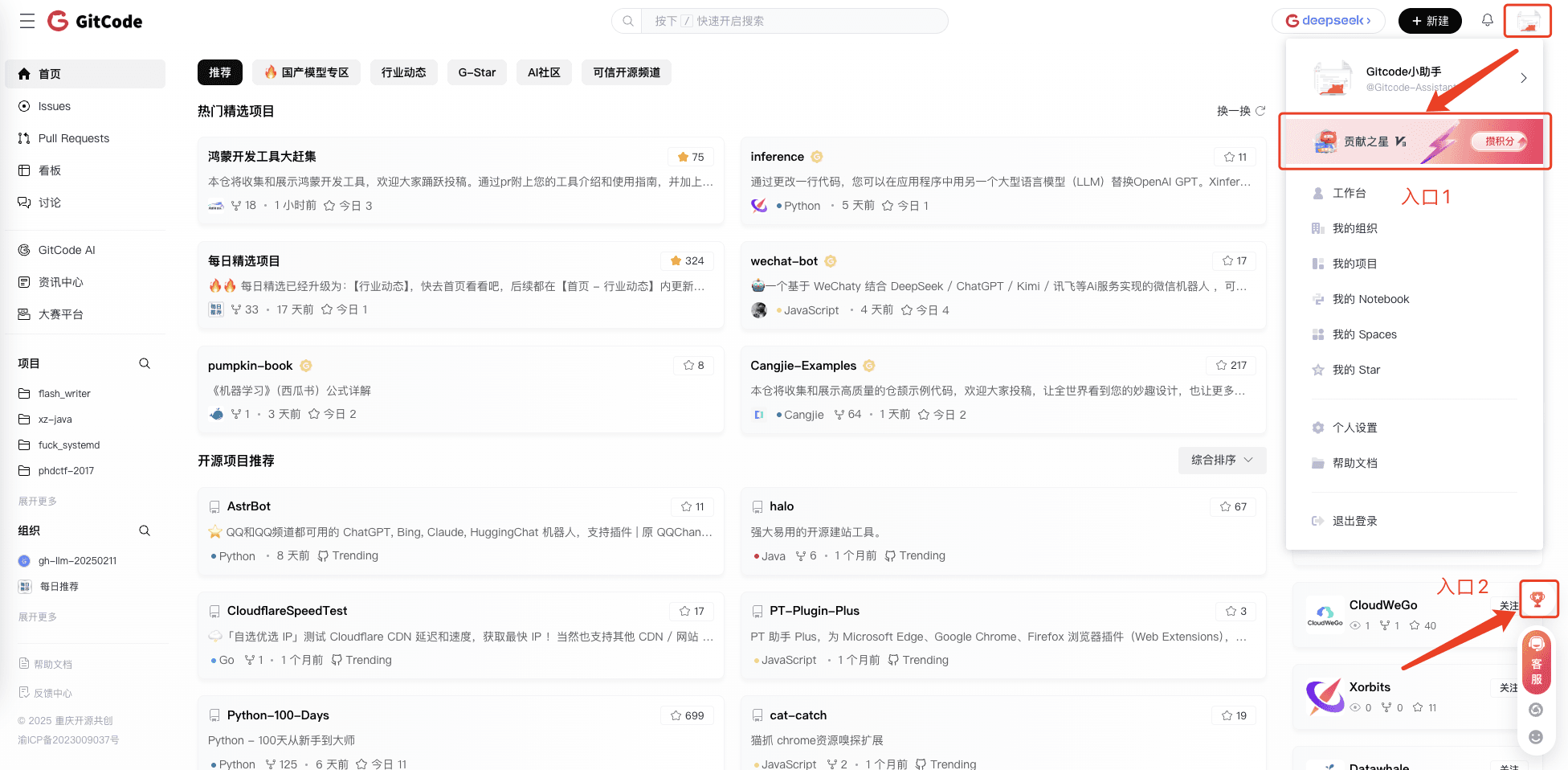
Entry One: Click anywhere on the card in the avatar dropdown menu to enter;
-
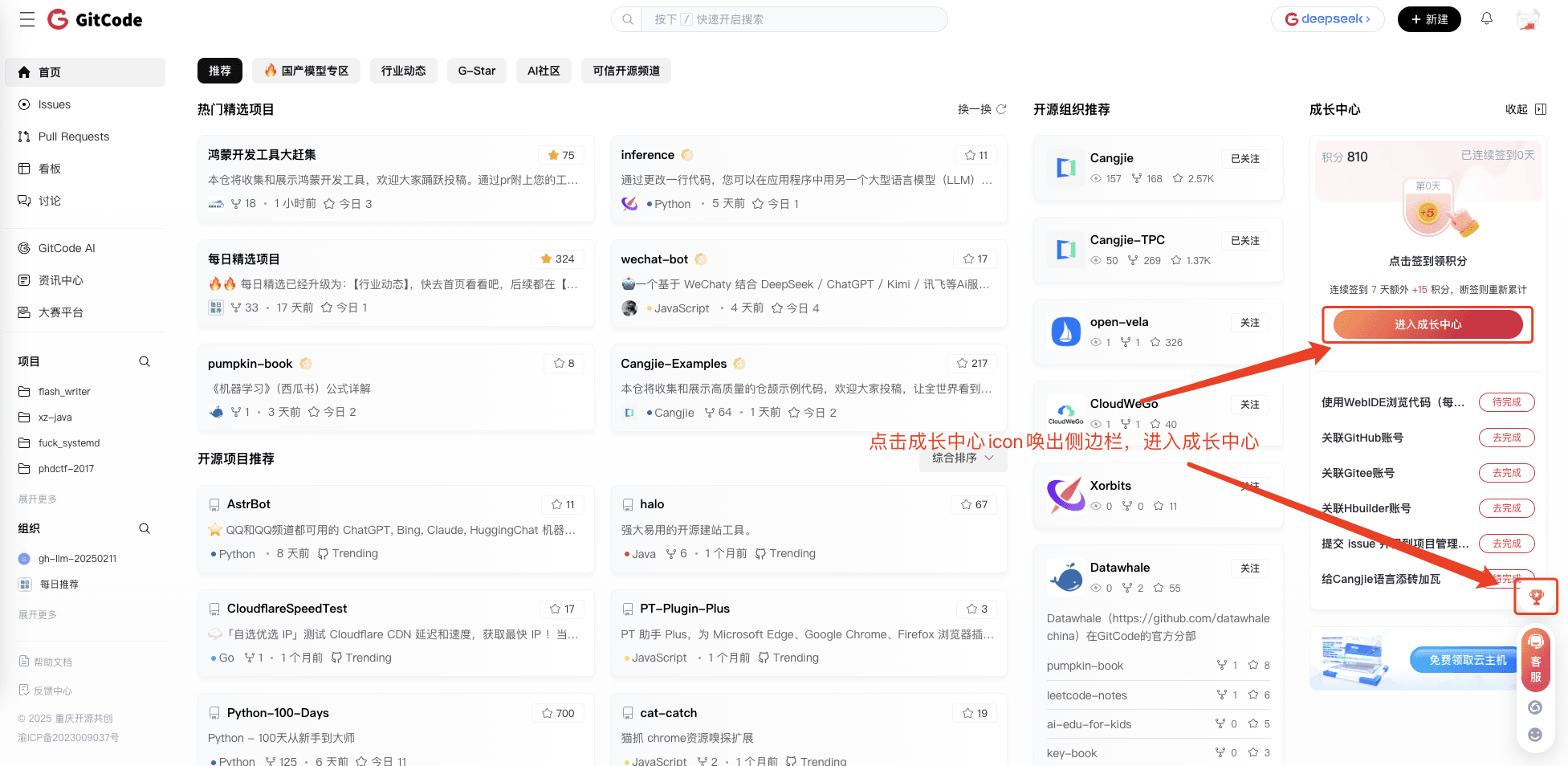
Entry Two: Click the growth center icon at the bottom right to expand the sidebar and enter the growth center or go directly;
Growth System
Growth Levels
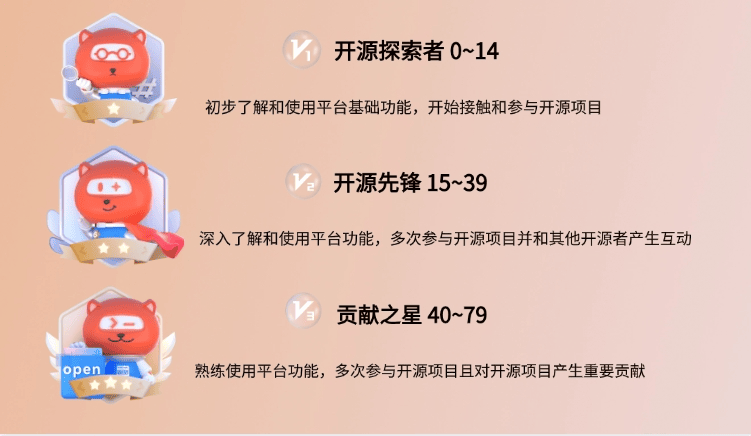
The AtomGit Developer Growth Center sets up the following growth levels for developers at different stages:
Growth Points / Credits
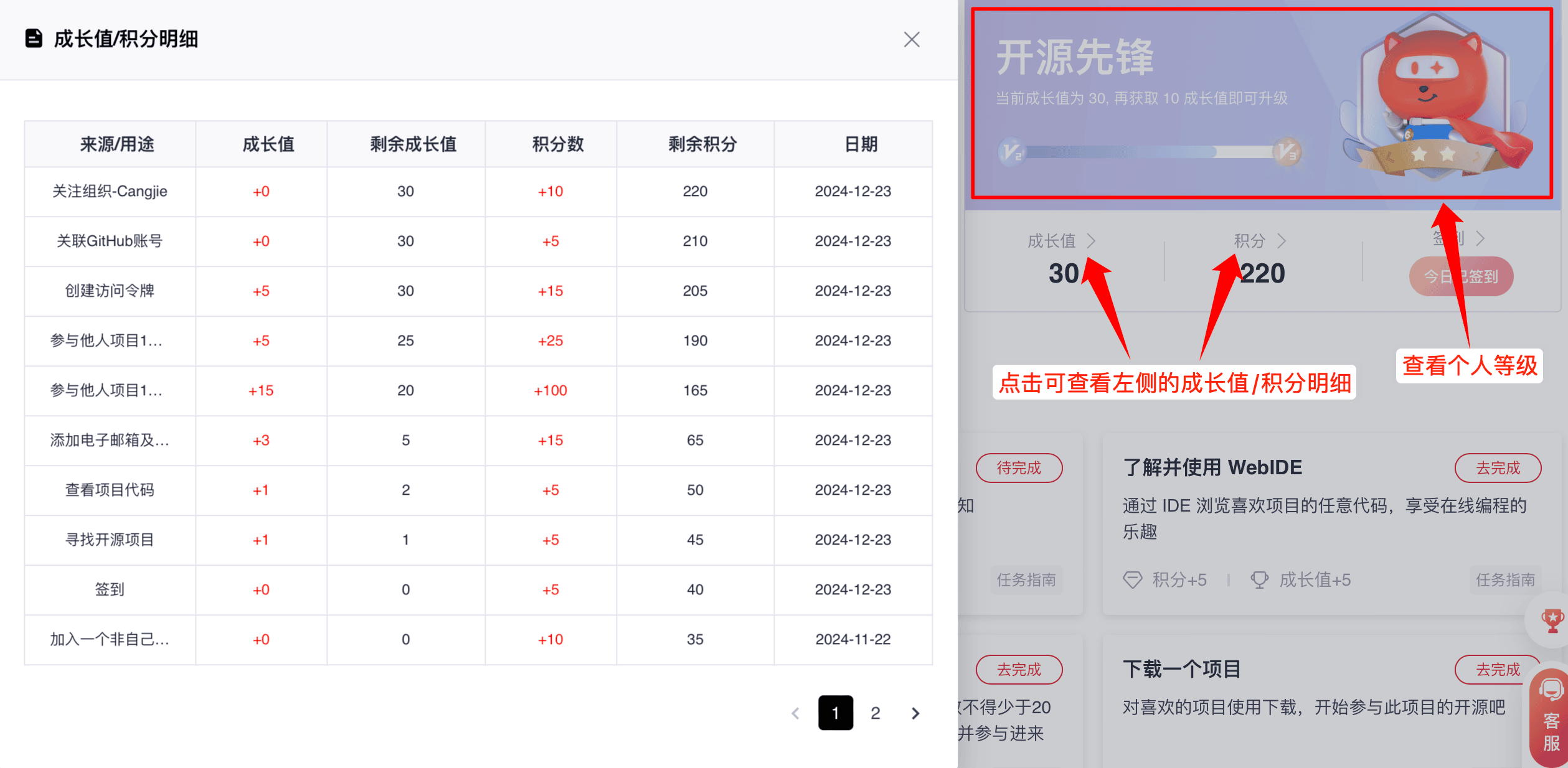
- Growth points are used to record and evaluate your progress after completing a series of preset tasks or challenges. Accumulating growth points helps you achieve higher growth levels and privileges.
- Credits are rewards given for your participation and completion of a series of tasks or activities. Credits can be accumulated, and a credit redemption function will be opened in the future.
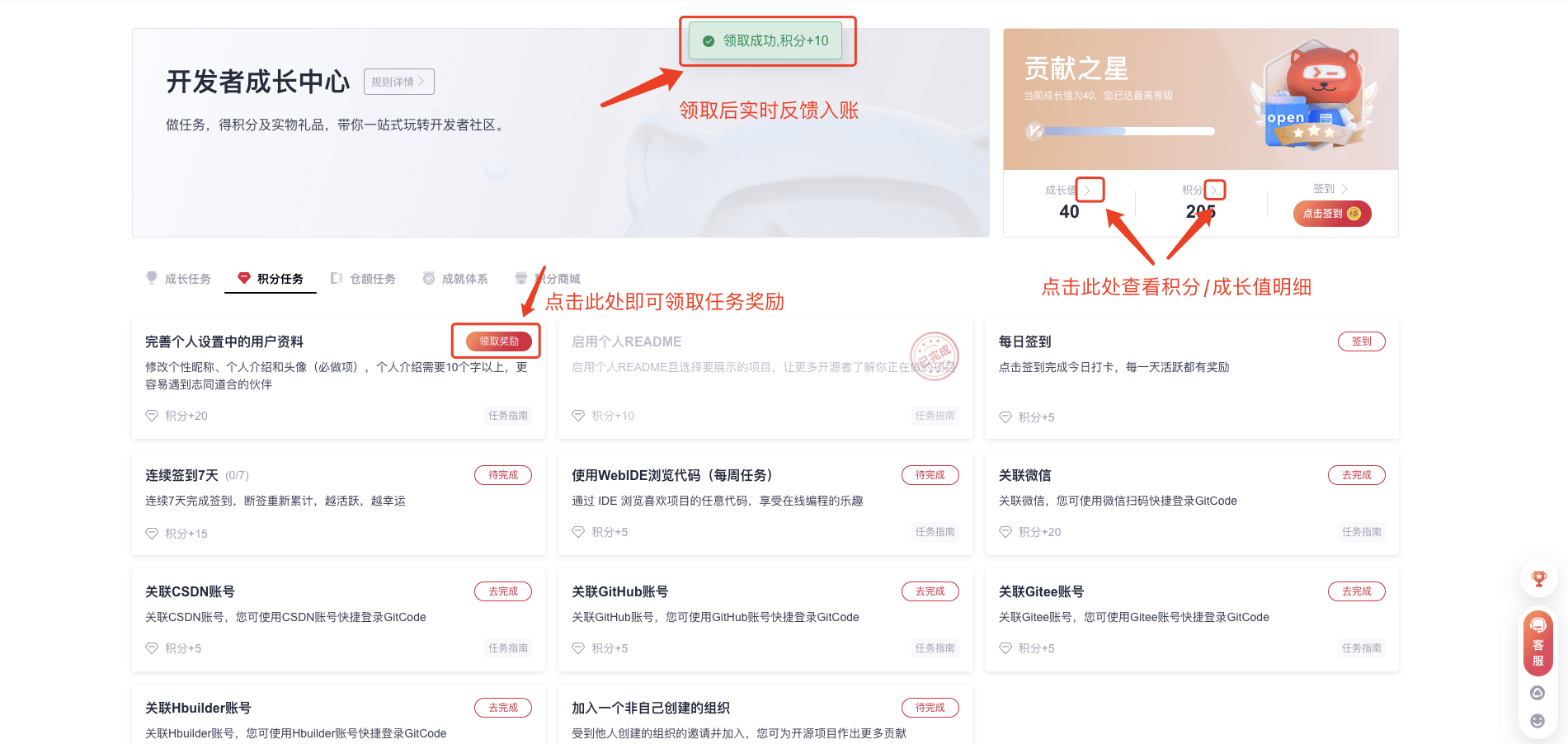
- Growth points / credits can be obtained through tasks or activities; after completing a task, you need to return to the growth center manually to claim growth points / credits; you can view the change records of growth points / credits through details.
Daily Check-in
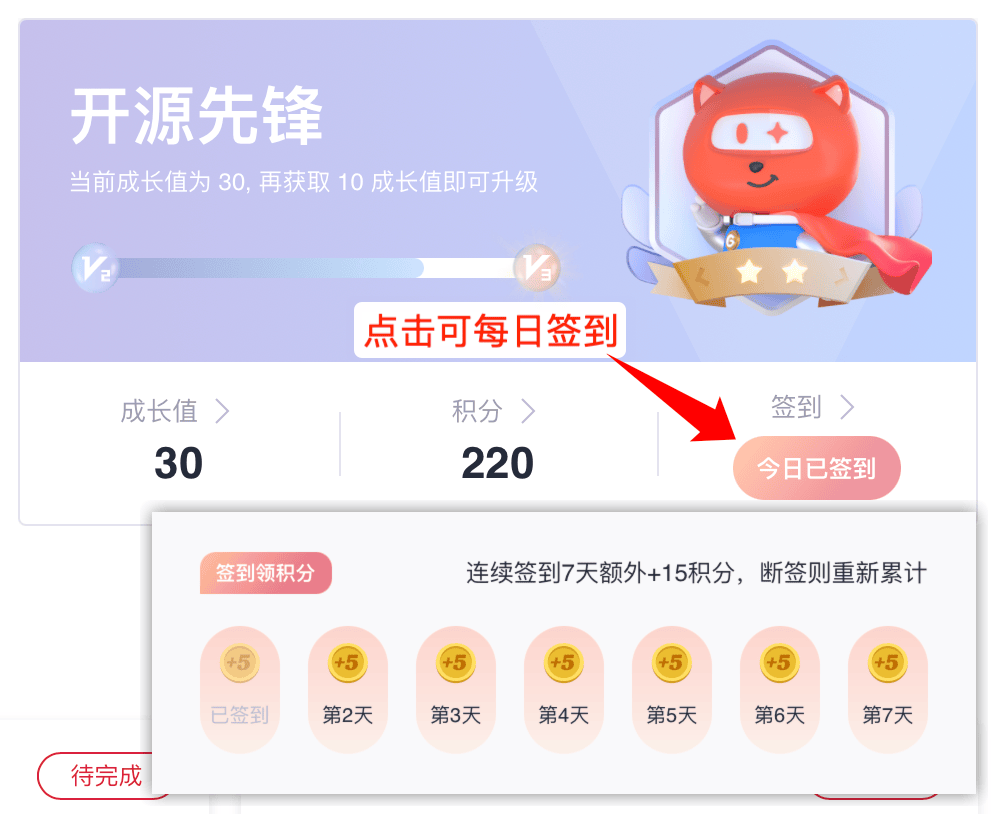
- On the growth center page, click the 「Check-in」 button to complete the check-in.
- Daily check-in earns you credit rewards, and consecutive check-ins earn additional rewards.
Task System
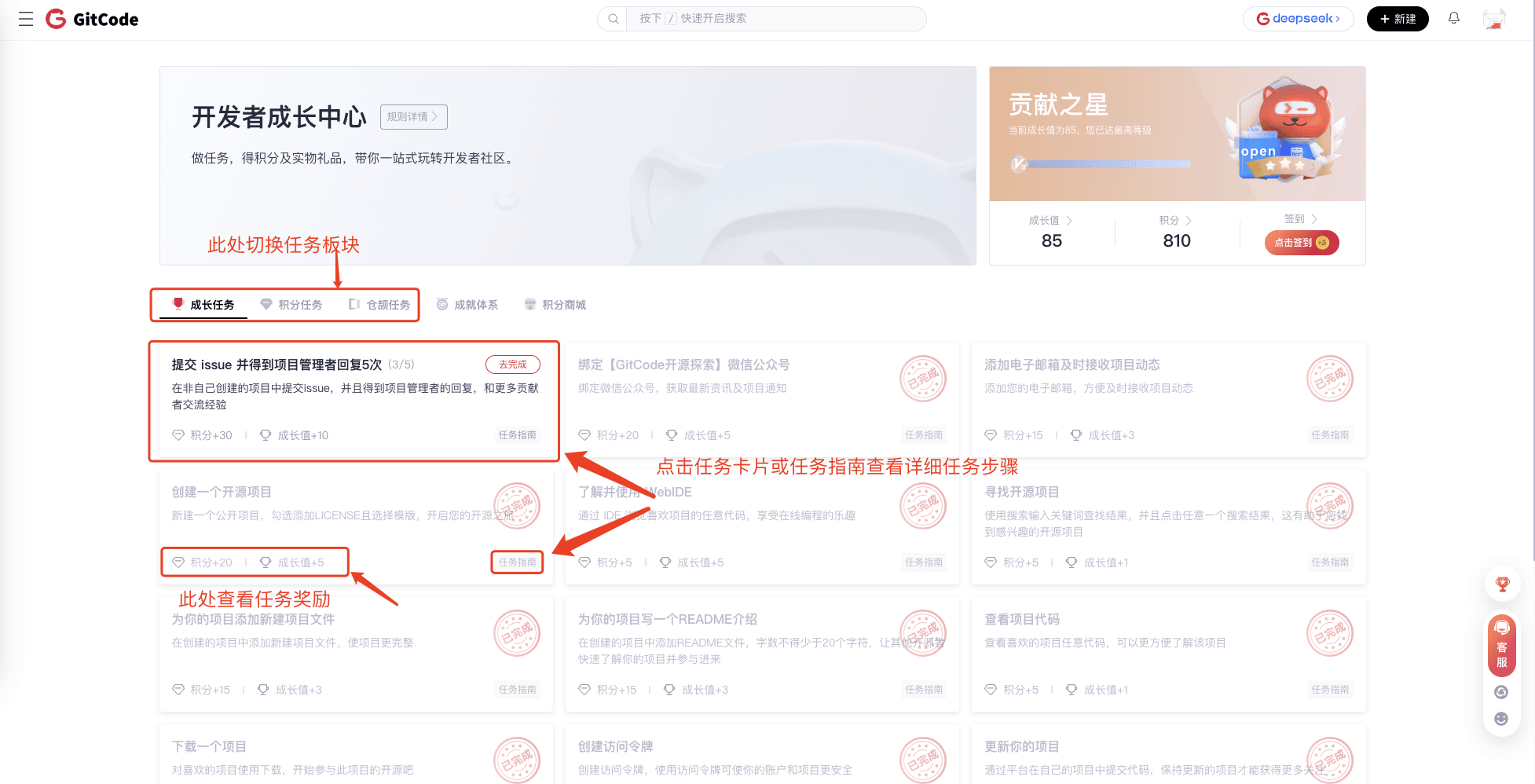
AtomGit provides three types of tasks: growth tasks, credit tasks, and Jie Shu exclusive tasks.
1. View Tasks:
-
Click on the Task Card or the Task Guide Button to view detailed steps for completing the task. Please carefully review the task requirements when completing a task;
-
You can view the reward for this task below the task card.
2. Claiming and Viewing Rewards
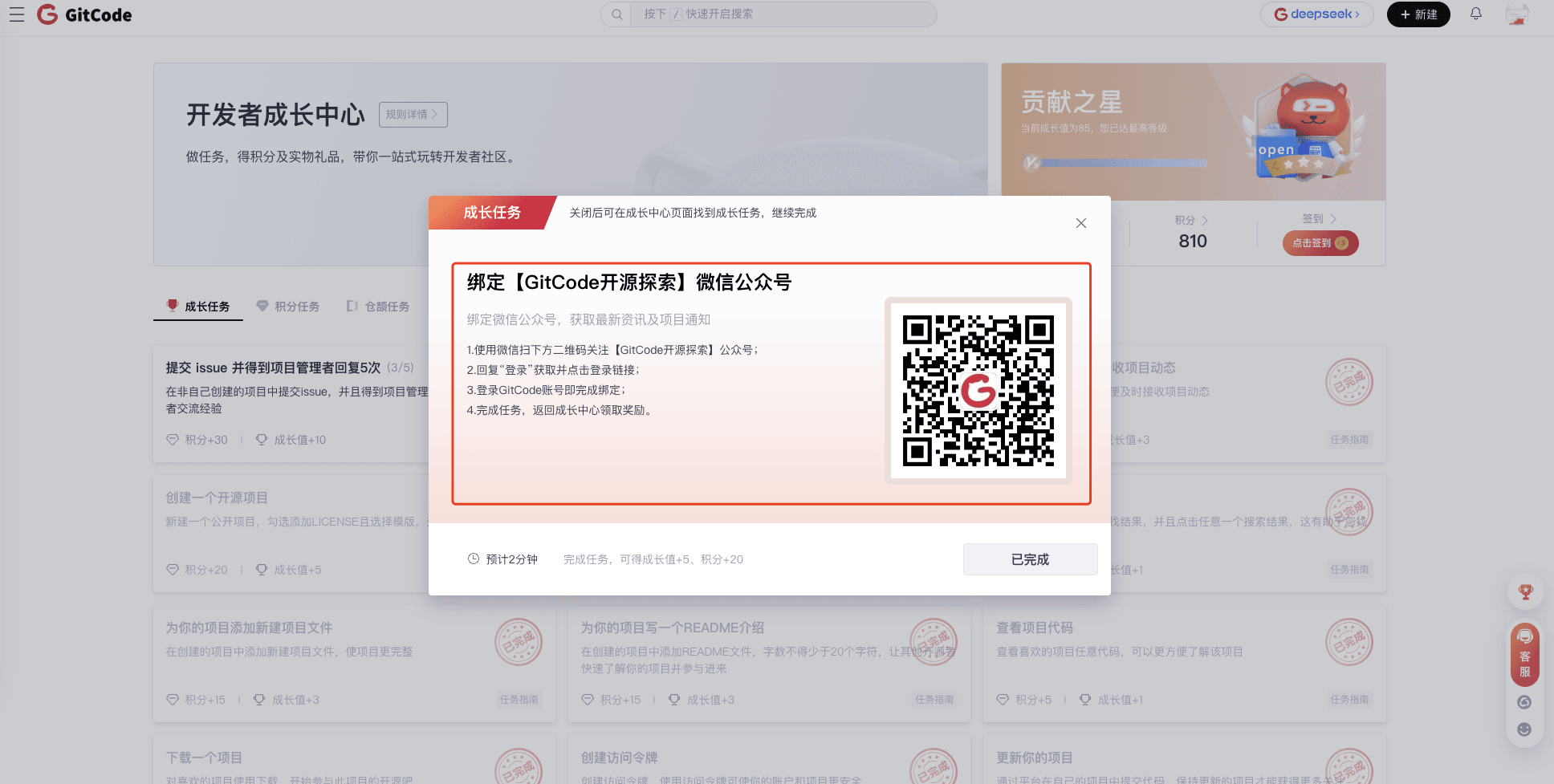
- After completing a task, you can go to the growth center via the pop-up window after completing the task or other entry points, click the "Claim Reward" button on the task to claim the credit and growth point rewards;
- After claiming, the system will automatically record and update your task status, growth points, and credits.

Achievement System
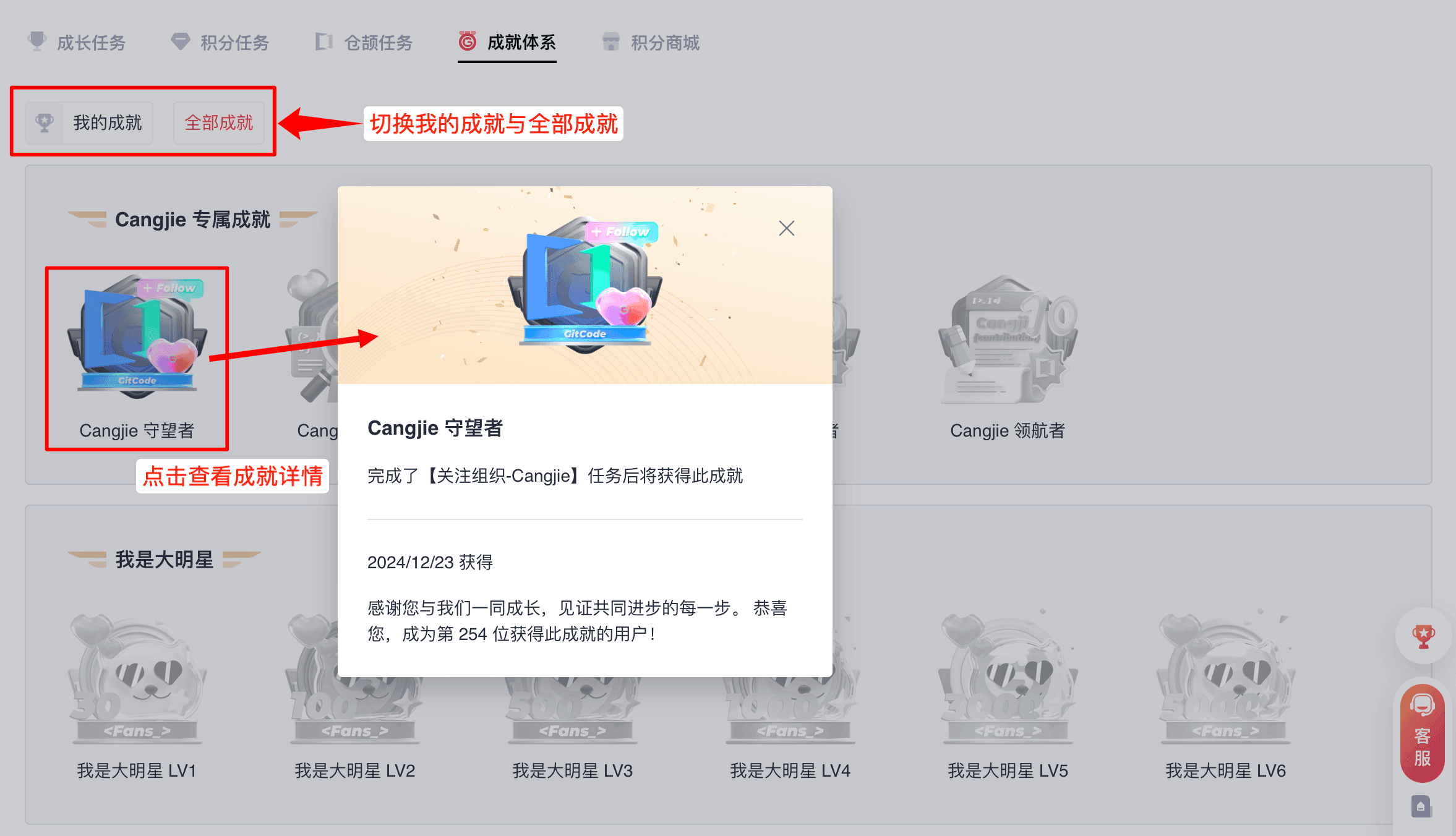
The achievement system aims to record specific developer behaviors (such as registration duration, active days, code contributions, etc.) on the platform and issue achievements. Some achievements will be released in the form of tasks, allowing you to collect achievements while also earning credit rewards. Every contribution you make should be remembered.
Credit Mall
The AtomGit Credit Mall is a product developed in conjunction with the growth system, aiming to give value to the credits you have earned. Every contribution you make deserves recognition!!
- The Credit Mall offers a wide range of physical and virtual gifts, which you can exchange using your credits. The variety of items available for exchange will continue to increase in the future. Go complete tasks now to get more credits!
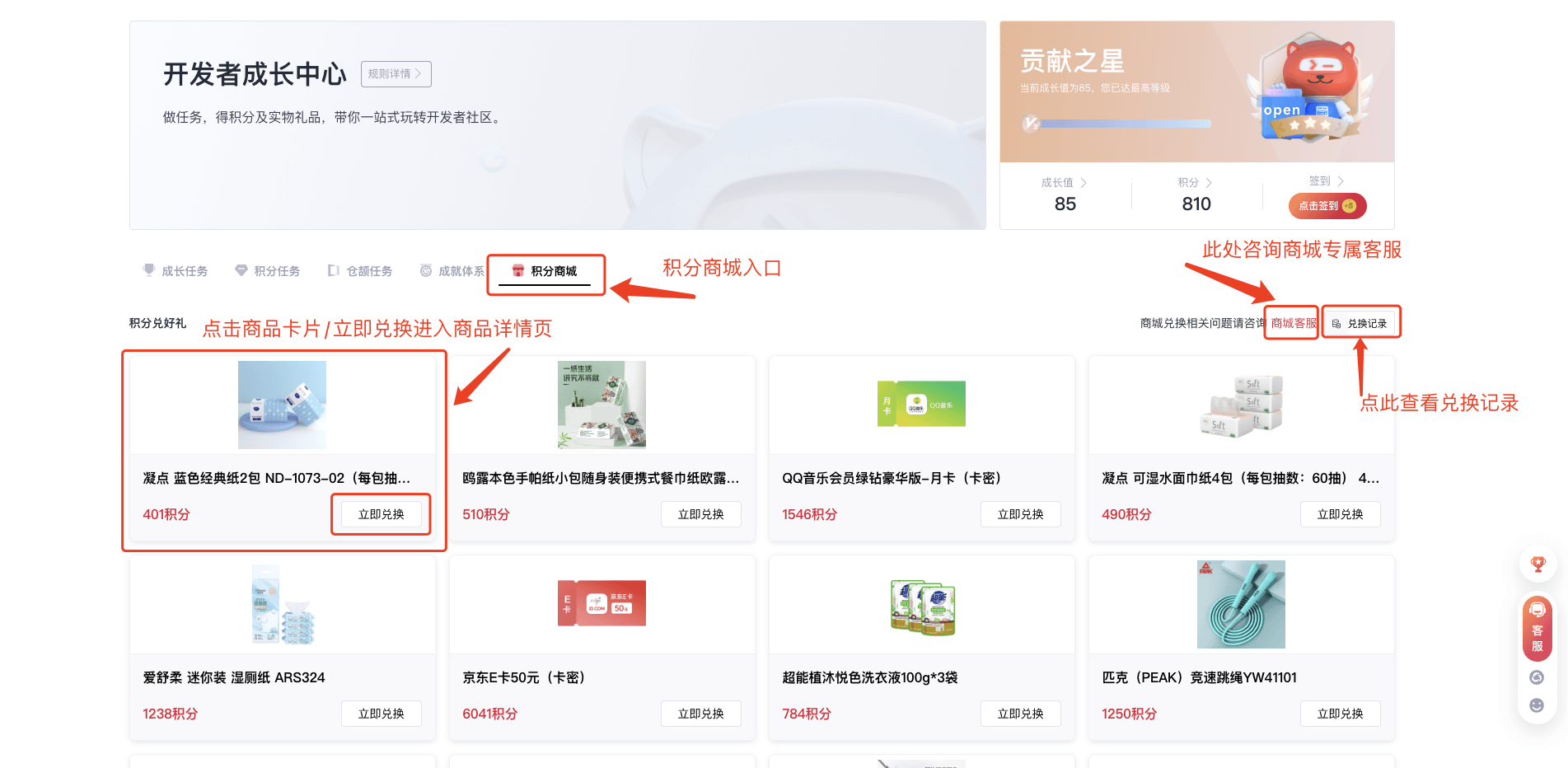
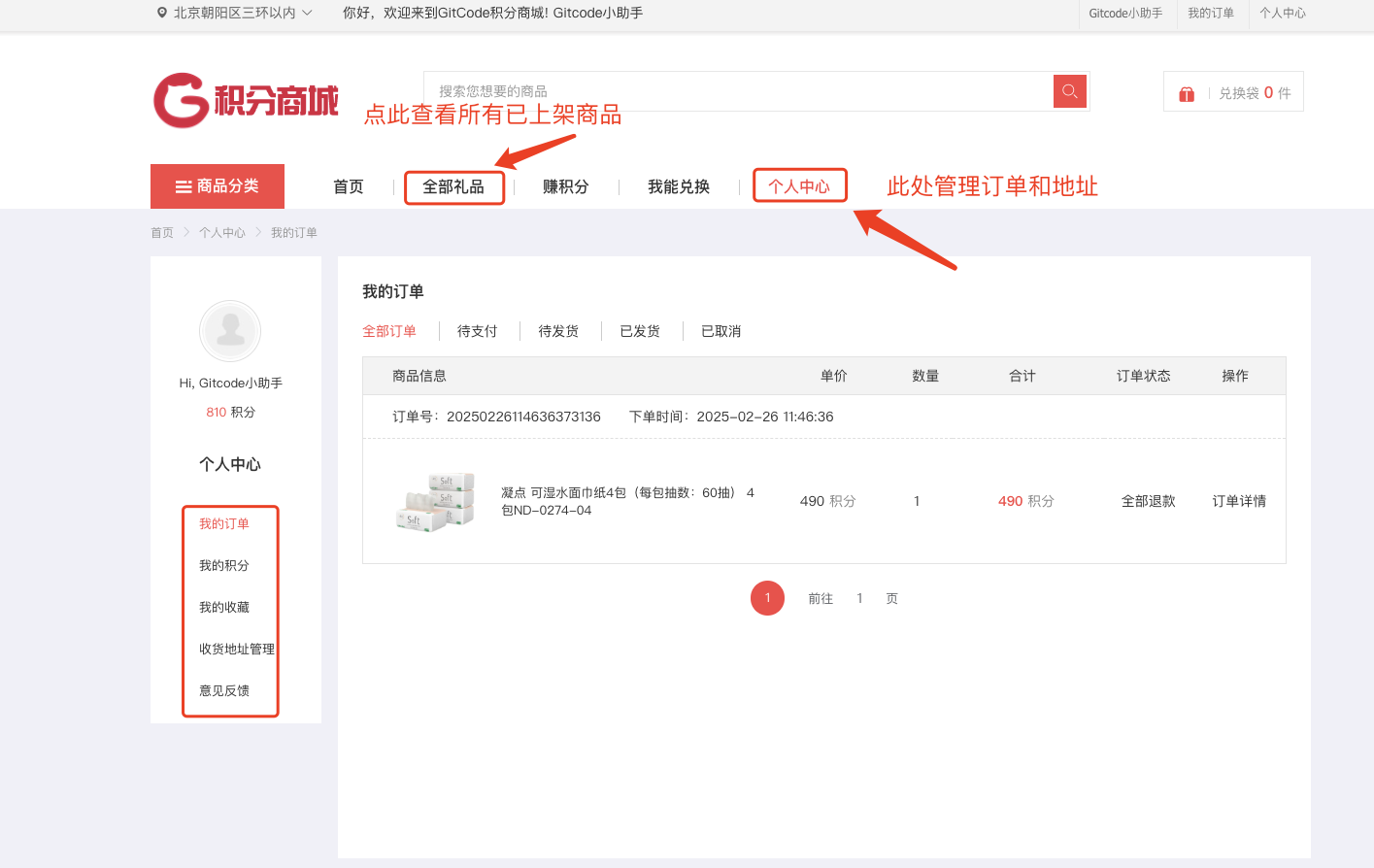
- View all current listed products in the "All Gifts" section. Your orders and shipping addresses can be managed in your personal center.