Project Analysis
GitCode's project analysis feature provides comprehensive repository data statistics and visualization tools, allowing you to intuitively understand various project metrics, development activities, and evolution trends. This helps you better grasp the status of project development and optimize the development process.
Analysis Entry
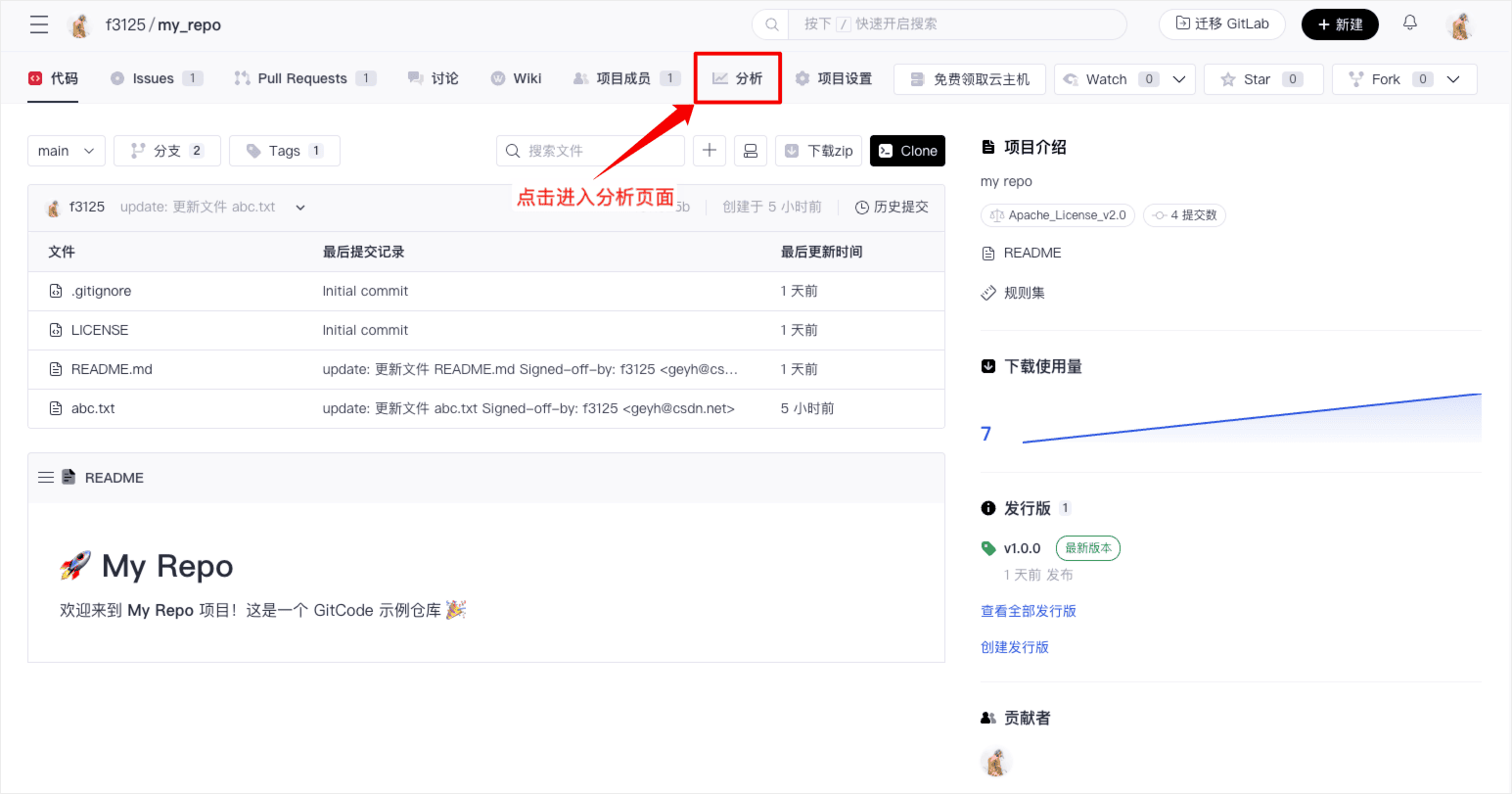
The entry for project analysis is in the tab bar on the project homepage. Click "Analysis" to enter the project analysis page.
Project Statistics
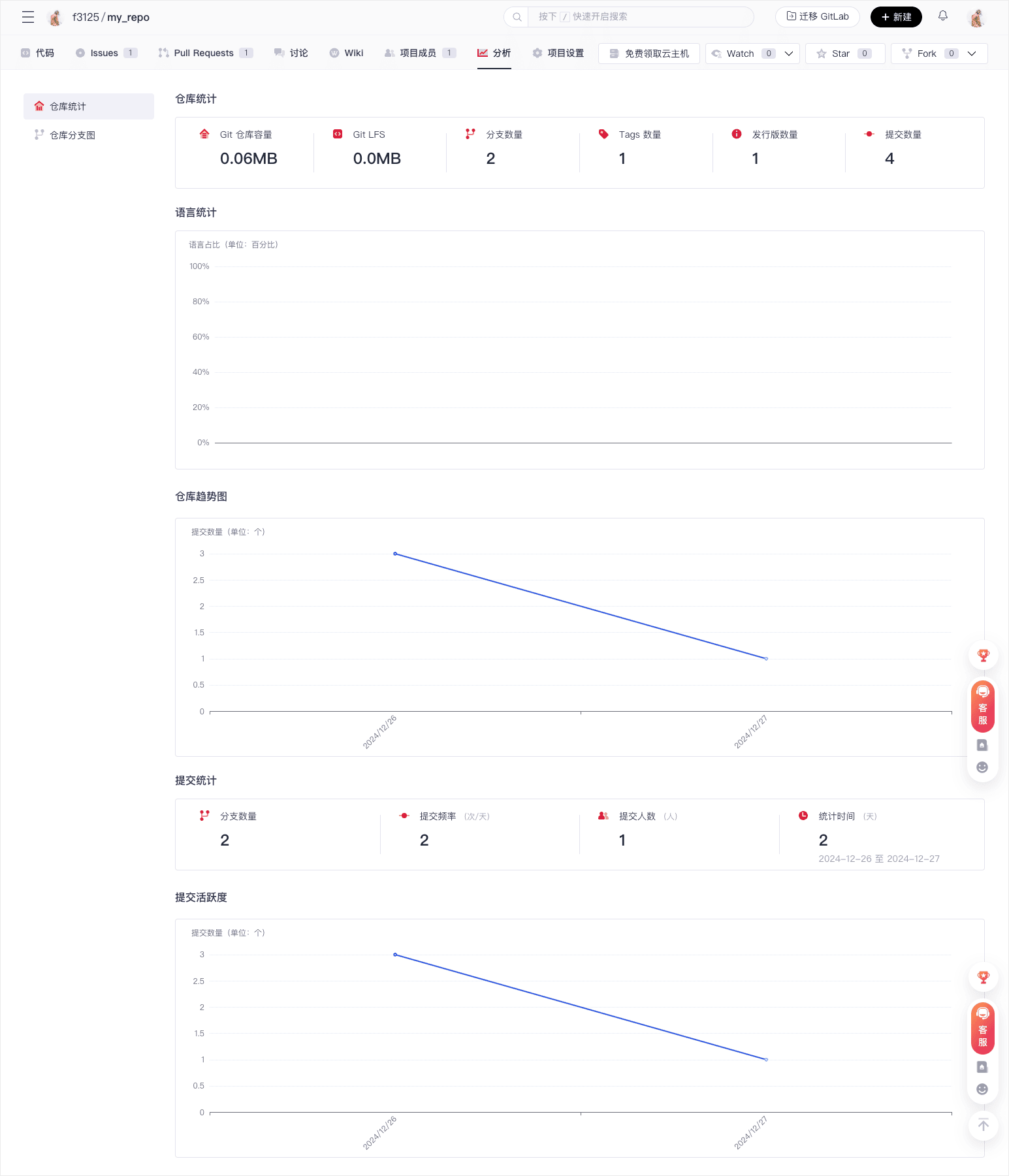
Project statistics include three types of data: basic repository data, code languages, and historical commits:
| Type | Description |
|---|---|
| Basic Data Stats | Repository Capacity: Displays the current storage space occupied by the repository Git LFS Usage: Shows the usage status of Git Large File Storage Number of Branches, Number of Tags, Number of Releases, Number of Commits |
| Language Stats | Displays the proportion of various programming languages in chart form, reflecting the composition of the project's technology stack |
| Commit Statistics | Visualizes the development trend of the repository over time Statistics on commit frequency and number of committers, reflecting the continuous maintenance status of the project |
Repository Branch Diagram
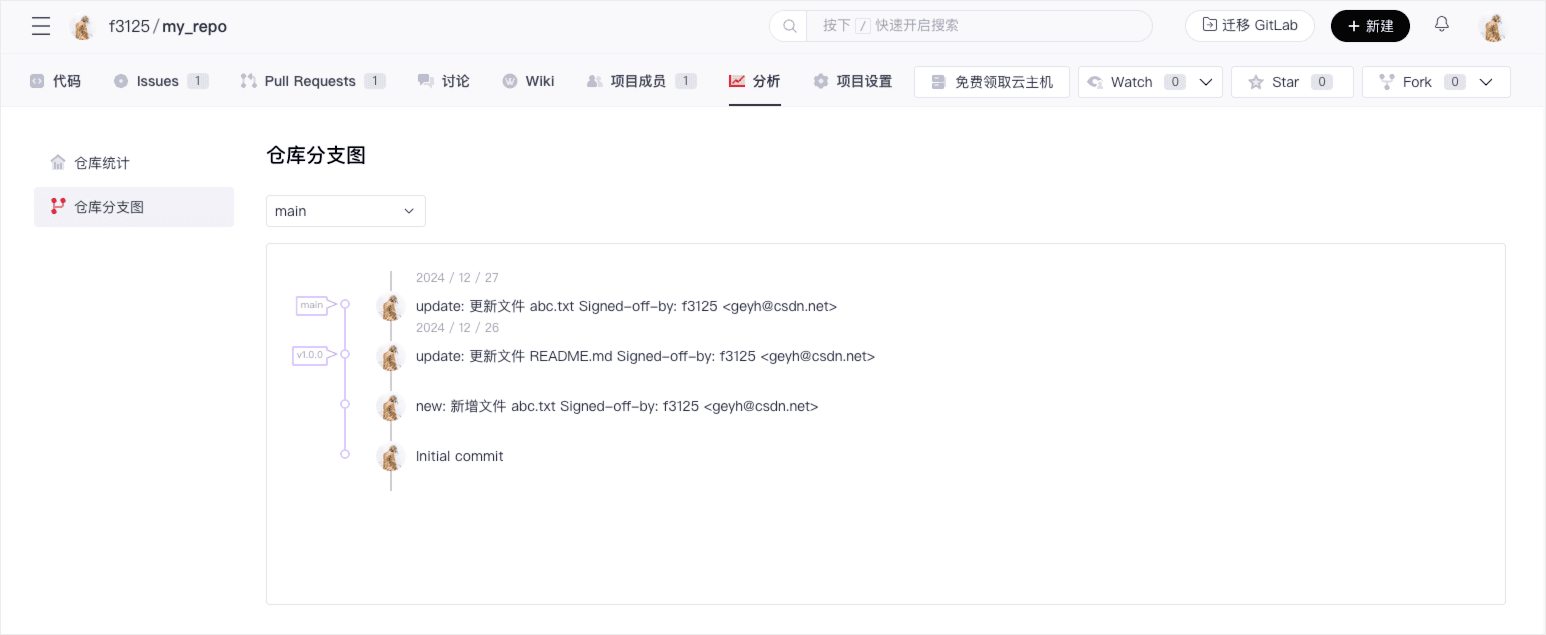
The repository branch diagram can help you:
- Visually view the structure and evolution history of branches
- Display the merge relationships between branches
- Understand the version management lineage of the code
Proper use of these features can effectively improve project management efficiency, optimize the development process, promote team collaboration, and drive healthy project development.