Milestone Management
Milestones are important tools in project management used to track the progress of Issues and Pull Requests, helping teams better assess project progress. This article will detail how to create, view, edit, and delete milestones.
Management Entry
-
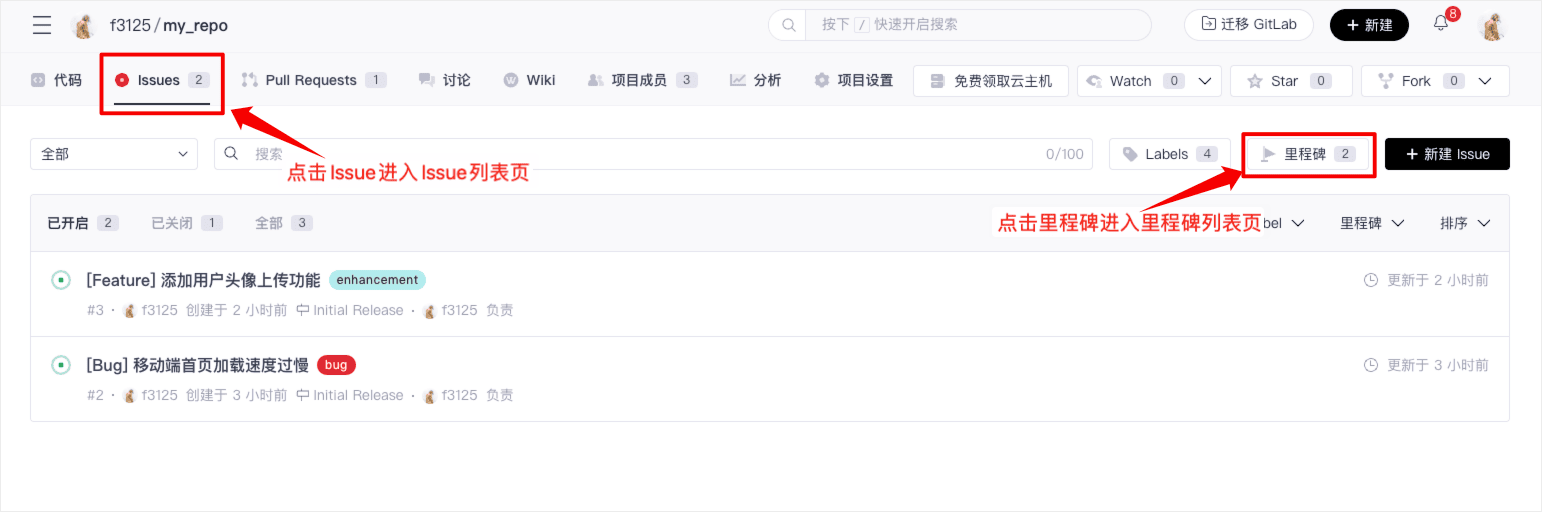
Enter the project homepage, click on the "Issues" tab to enter the Issue list, then click "Milestones" to enter the milestone management list.
-
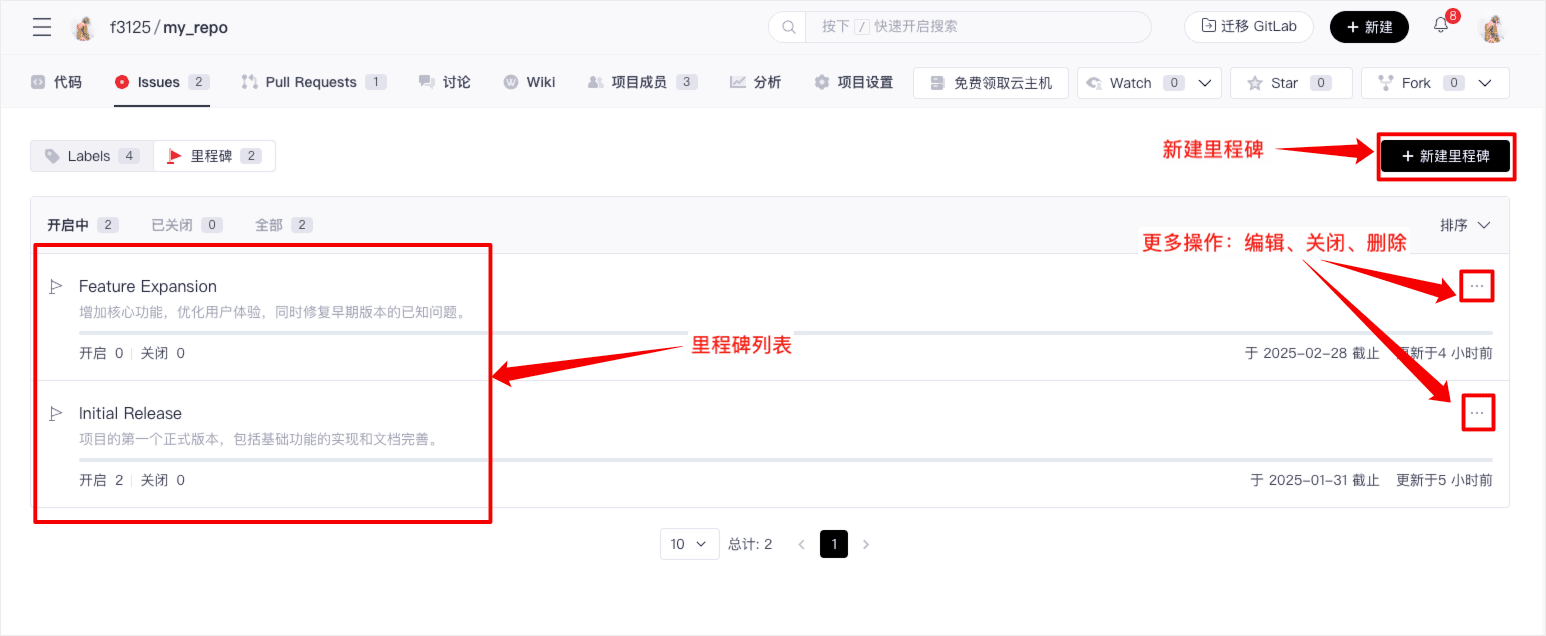
In the milestone list, you can create, edit, manage, and delete milestones, and view the progress (number of completed Issues) for each milestone.
Creating a New Milestone
-
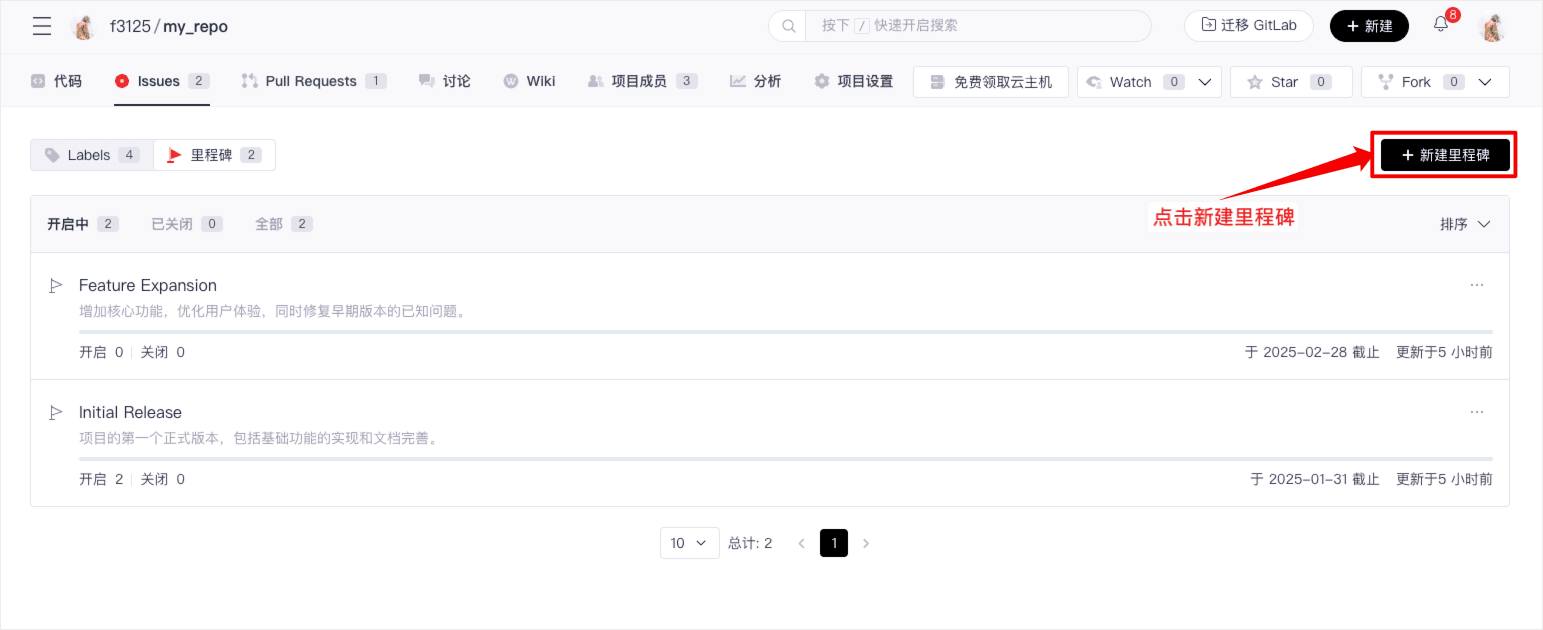
On the milestone list page, click "+ New Milestone" to enter the new creation page.
-
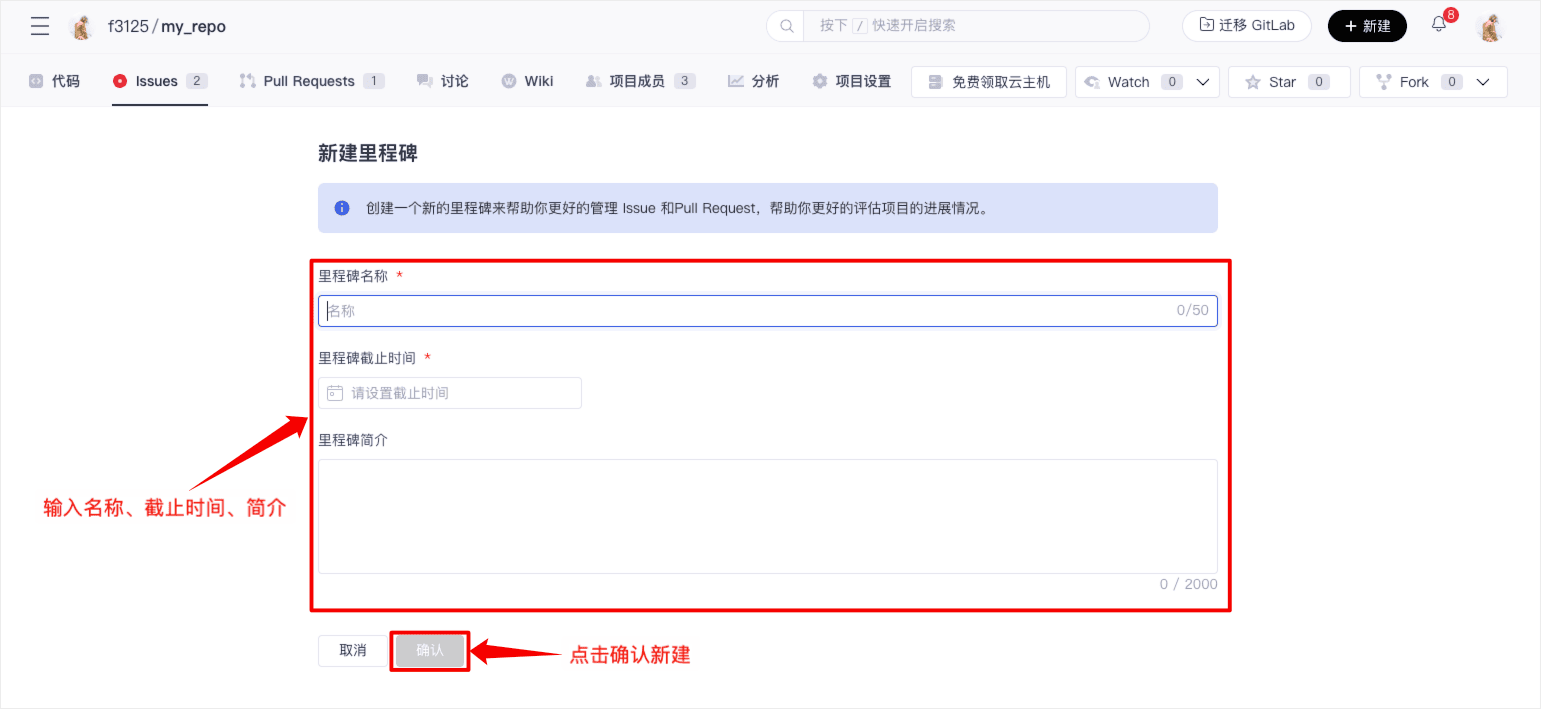
Input the name, deadline, and description for the milestone, then click confirm to complete the creation.
Viewing Milestone Details
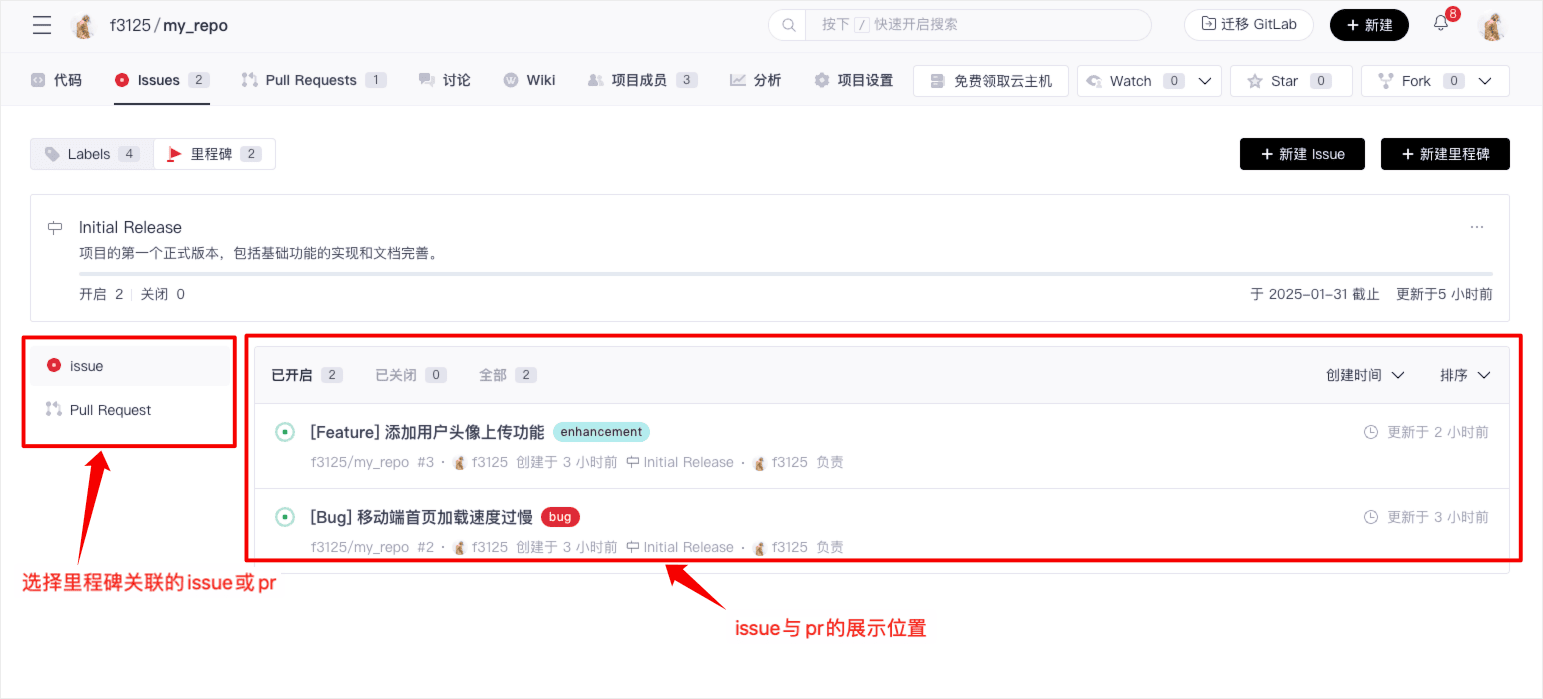
On the milestone list page, click the title of a specific milestone to enter its details page. Here, you can view the associated Issues and Pull Requests and get real-time updates on task progress.
Editing, Closing, and Deleting
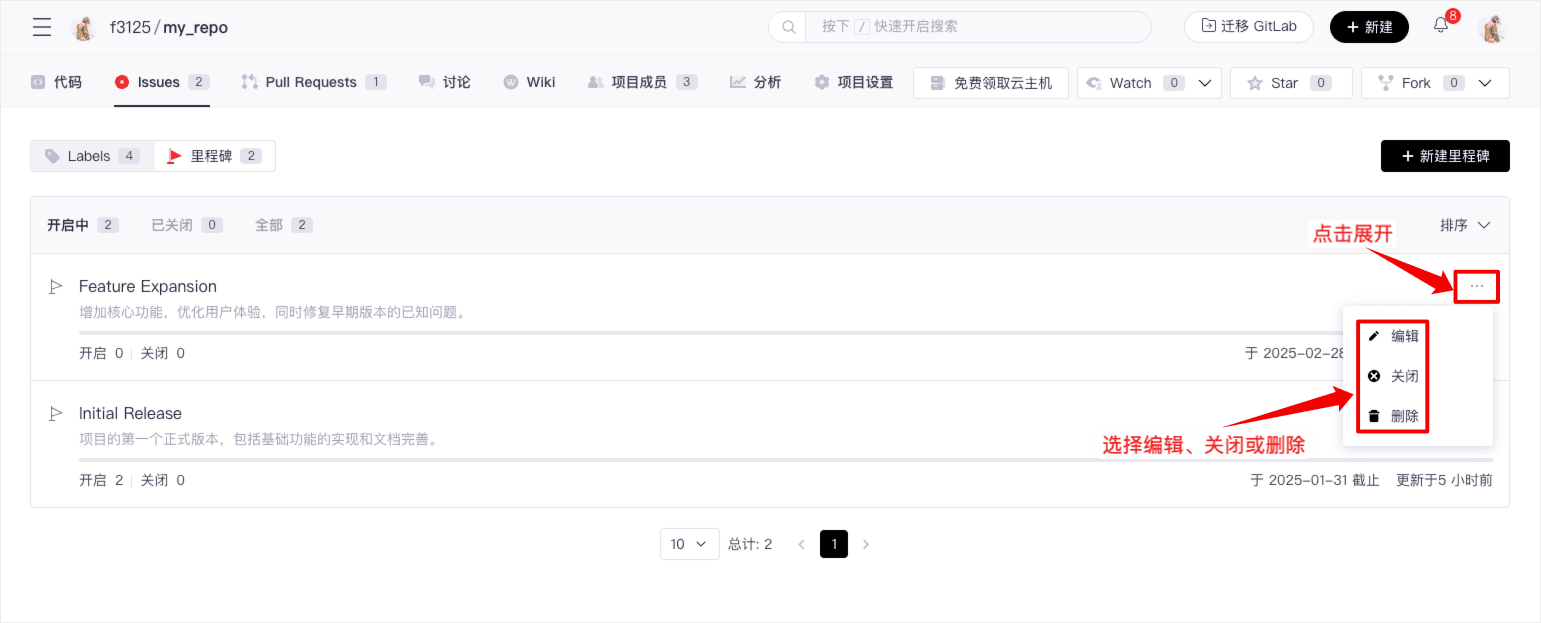
Enter the milestone list page, select the corresponding milestone, click the "More" icon on the right to expand the editing, closing, and deletion options, then click to perform the desired action.
Through the milestone management feature, you can better plan and track project progress, ensuring that team tasks are completed on time. It is hoped that this article will help you use the milestone feature efficiently and improve your project management efficiency.
Associating Issues with Milestones
-
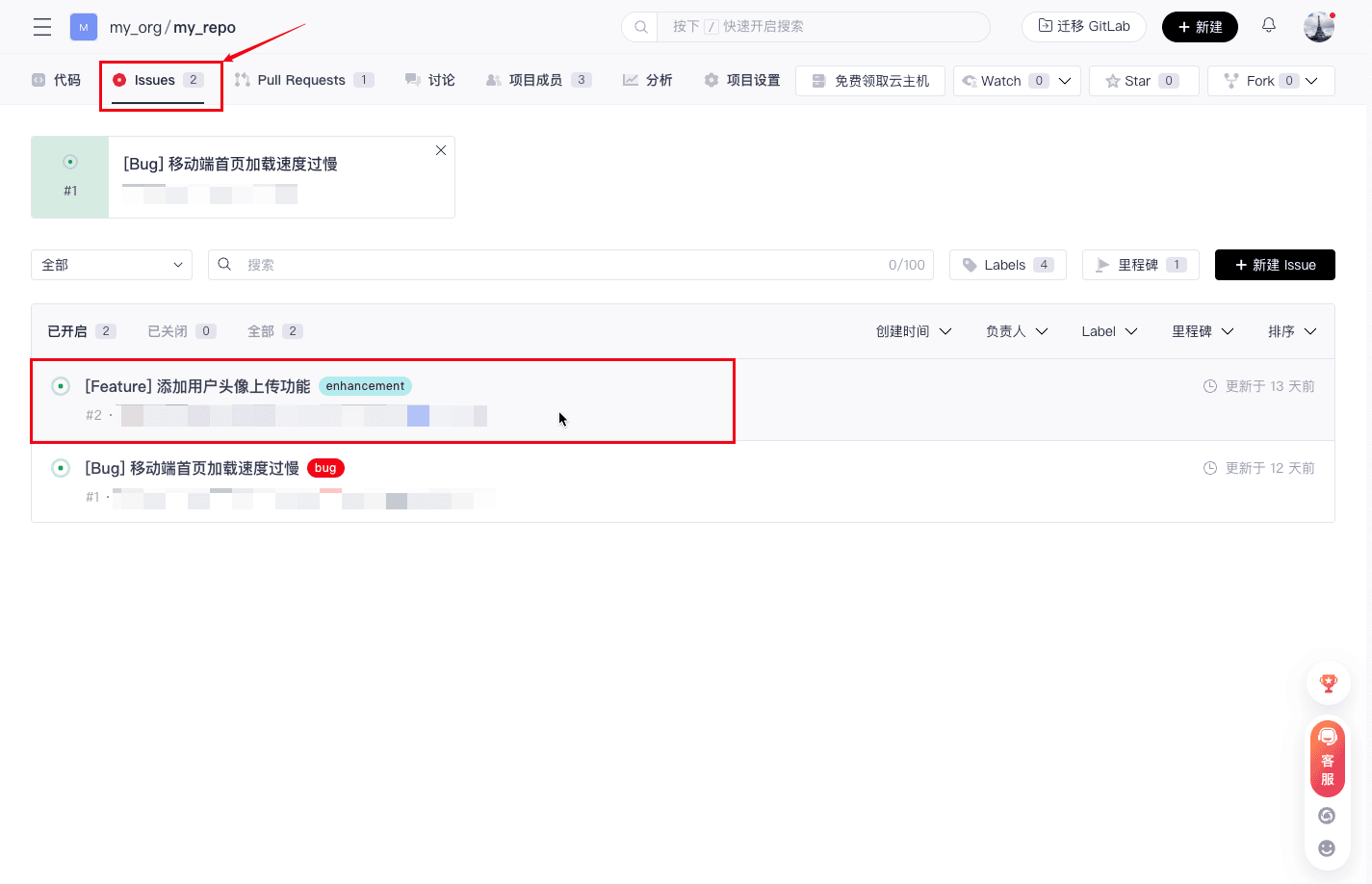
Click on the "Issues" tab on the project page and select the Issue to associate with a milestone.
-
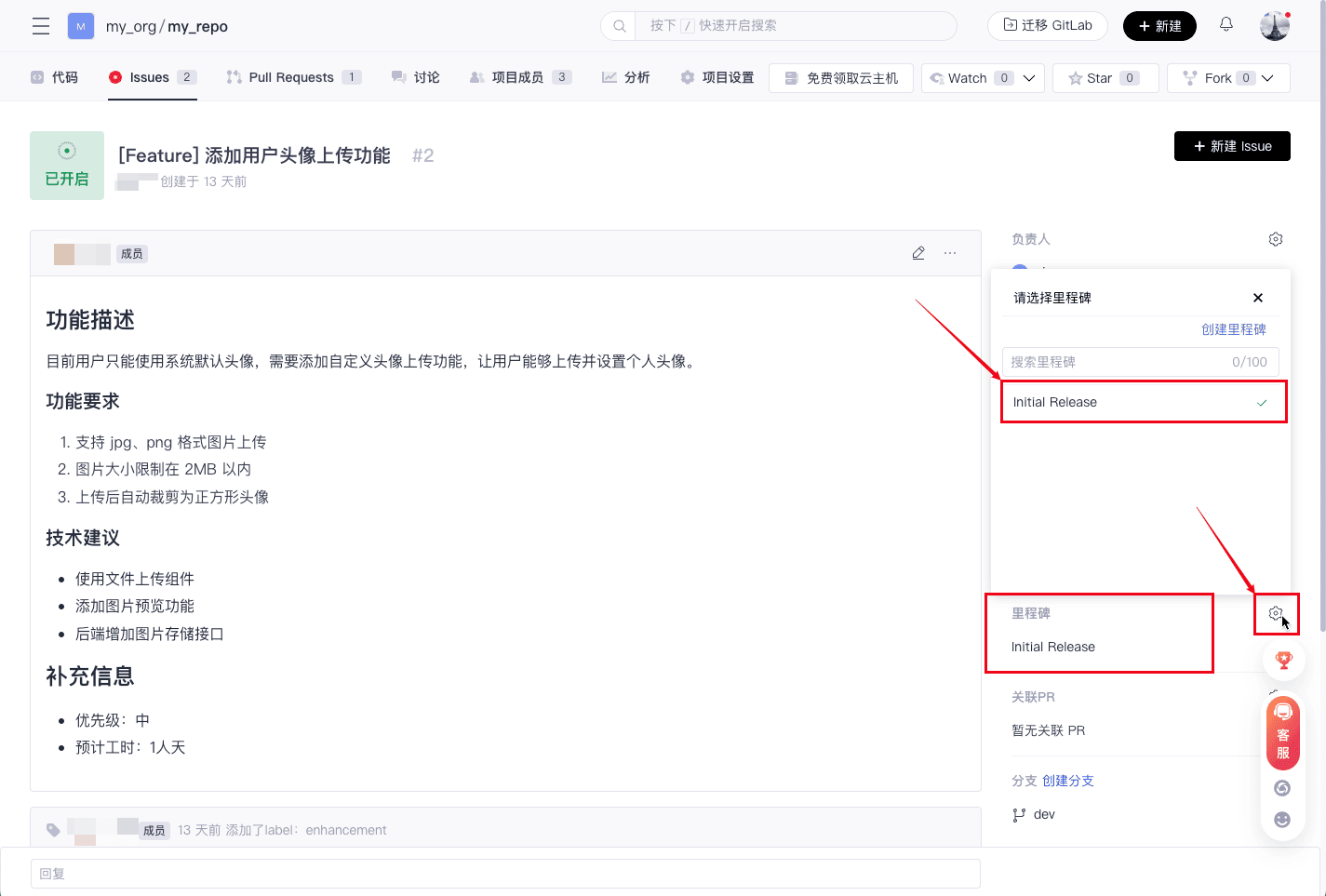
In the Issue details page, click the "Milestone" setting button on the right-hand tab and choose the milestone to assign.
Recommended Practices
Here are some recommended practices for using the Milestone feature in GitCode:
- Use clear names and descriptions to identify and describe the goals of each milestone.
- Regularly update the status of milestone tasks to reflect project progress.
- Set appropriate deadlines when creating milestones to ensure tasks are completed as planned.
- Use labels to further categorize and organize tasks.
- Through milestones, you can better organize and manage tasks and issues in your project, helping the team efficiently plan and track work.