v1.0 Release Notes
Core Function Enhancements
Feature One: Issue Template
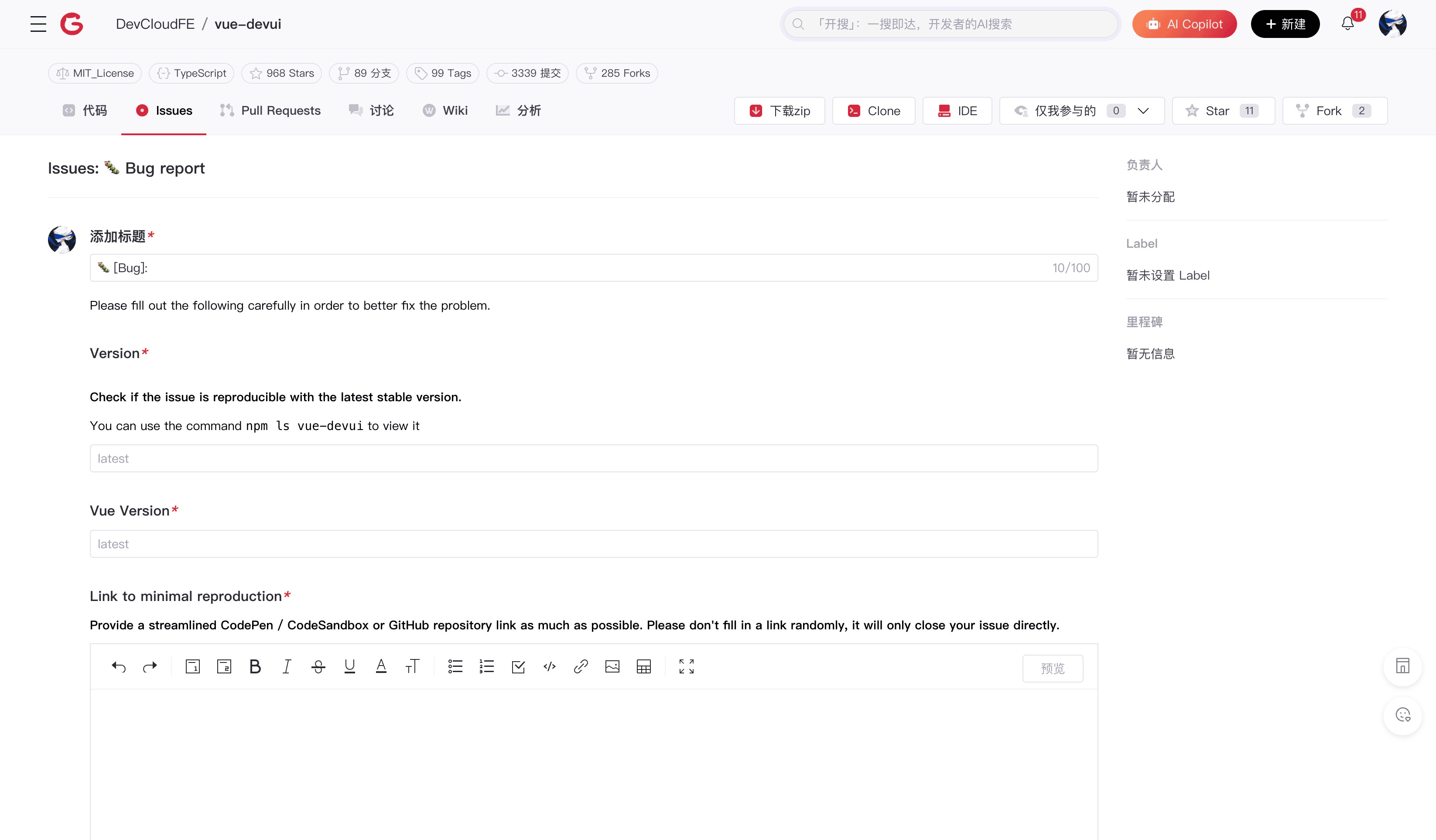
Customize Issue templates to create standardized issues or feature requests with one click, making your development work more organized.
- Support multiple template types: Supports traditional markdown and yaml template types, making your Issue template function more flexible and efficient.
- Customizable fields: Flexibly define Issue template fields according to project needs, ensuring necessary information is collected.
Feature Two: WebIDE
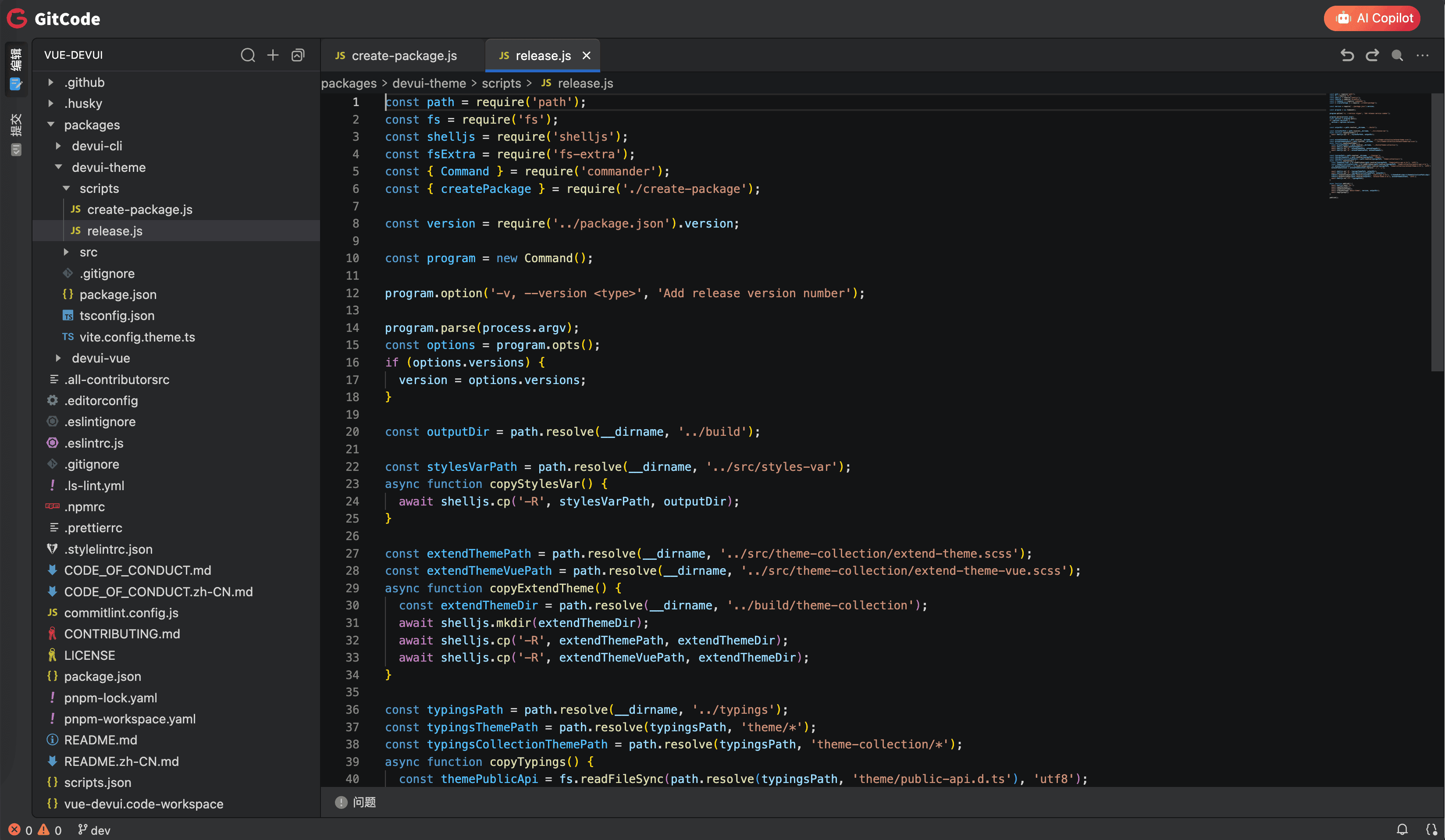
No local environment needed, enjoy a smooth development experience directly in the browser, allowing you to write, run, and debug code anytime, anywhere.
- Support for multiple programming languages: Supports mainstream programming languages such as JavaScript, Python, Java, etc., meeting different development needs.
- Seamless switching between devices: With network access, WebIDE allows you to enter the development state anytime and anywhere, enjoying the fun of programming.
Feature Three: Online Conflict Resolution

Visually display differences and support online editing, helping you easily resolve code merging challenges.
- Visual difference display: Clearly show the location and content of code conflicts, making it easy to compare and modify.
- Support for different resolution methods: Provides multiple conflict resolution options, including manual editing and accepting changes from one side.
Feature Four: GPG Key
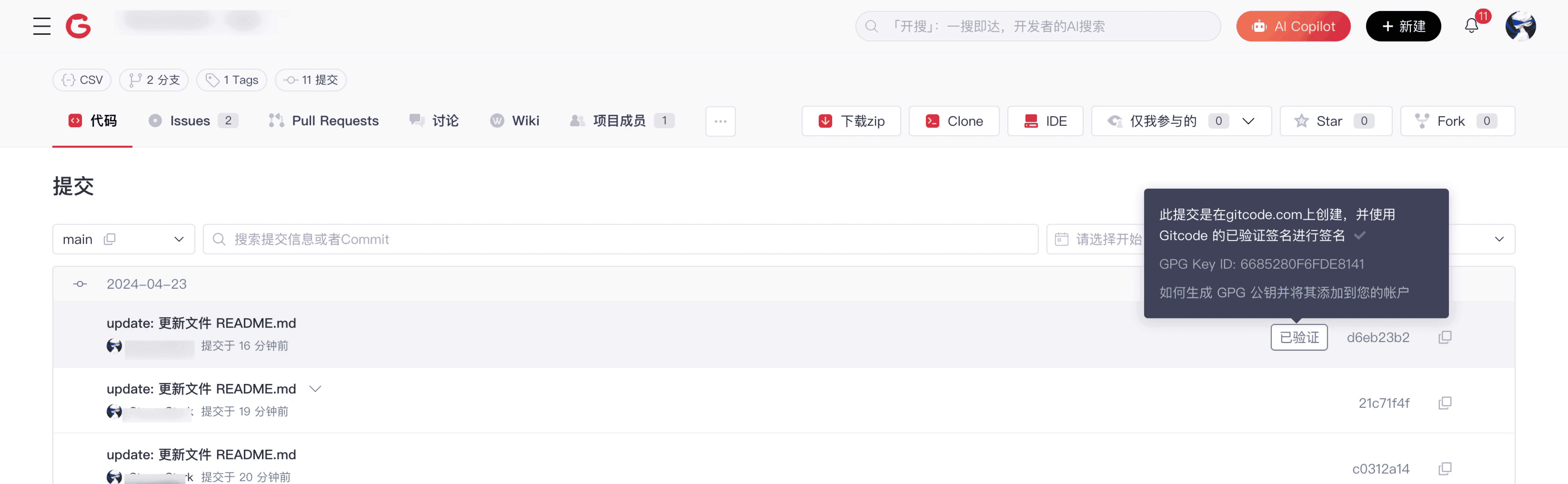
GPG signature verification function ensures code integrity and reliable source, providing security protection for your code.
- Support for multiple GPG key formats: Supports various key formats such as RSA and DSA, meeting the needs of different users.
- Configurable signature rules: Customize signature rules to flexibly control signature behavior.
Feature Five: Updated Help Documentation
Comprehensively updated help documentation with search functionality, helping you easily solve problems and improve work efficiency.
- Full feature coverage: Covers all functions and usage of AtomGit, providing detailed operation guides and examples.
- Support for multiple search methods: Supports keyword search, full-text search, and other search methods to quickly find the required information.
Collaboration Function Improvements
Collaboration Feature One: CodeOwners
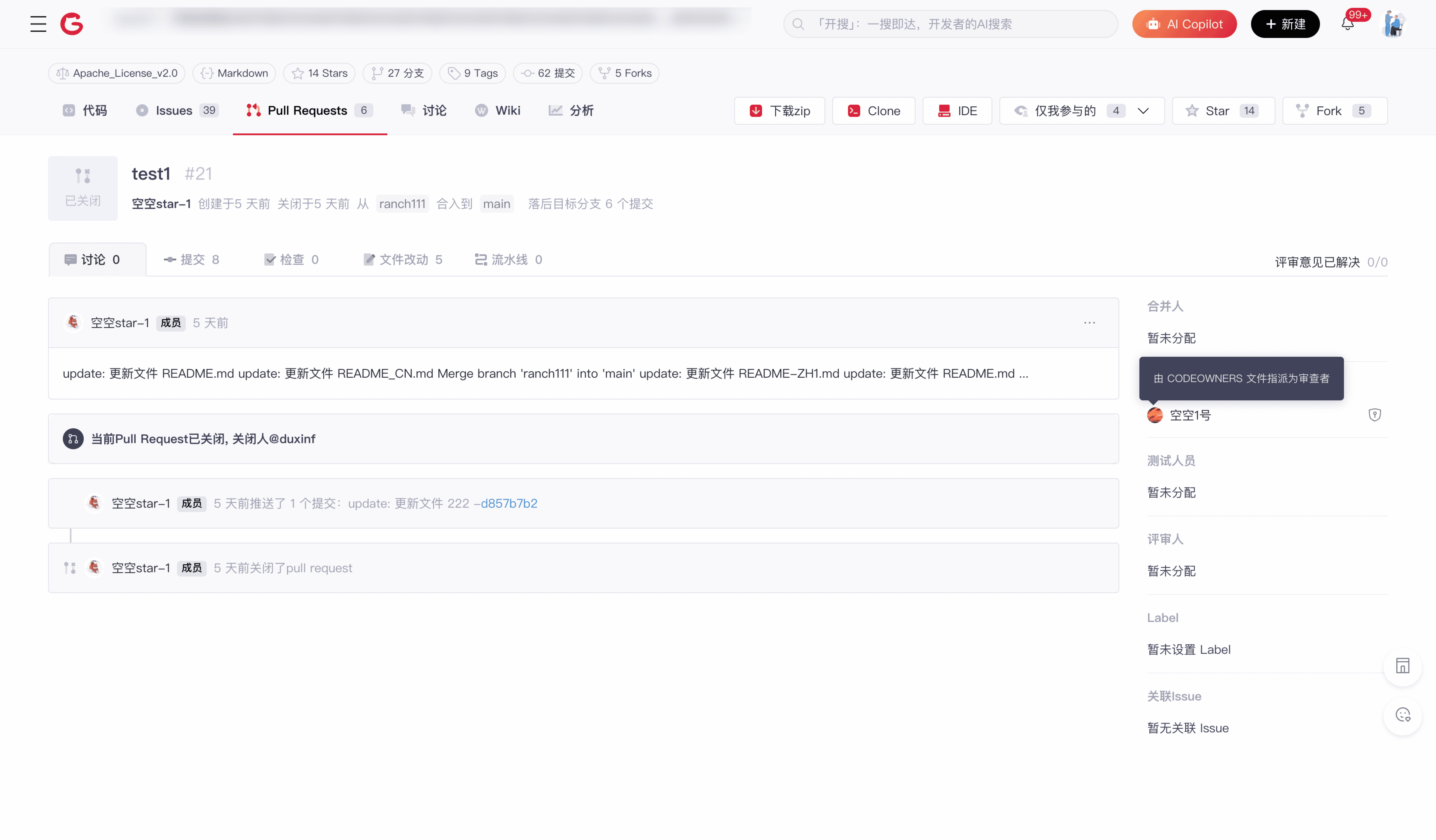
Specify code owners to ensure that every change is reviewed by the right person, improving code quality and project management efficiency.
- Support for multi-level CodeOwners: You can specify multiple code owners and set review priorities to ensure timely and effective code reviews.
- Automatic addition of CodeOwners: When code is modified, the system automatically adds the corresponding CodeOwners as reviewers, without manual operations.
Collaboration Feature Two: Pull Request Enhancements
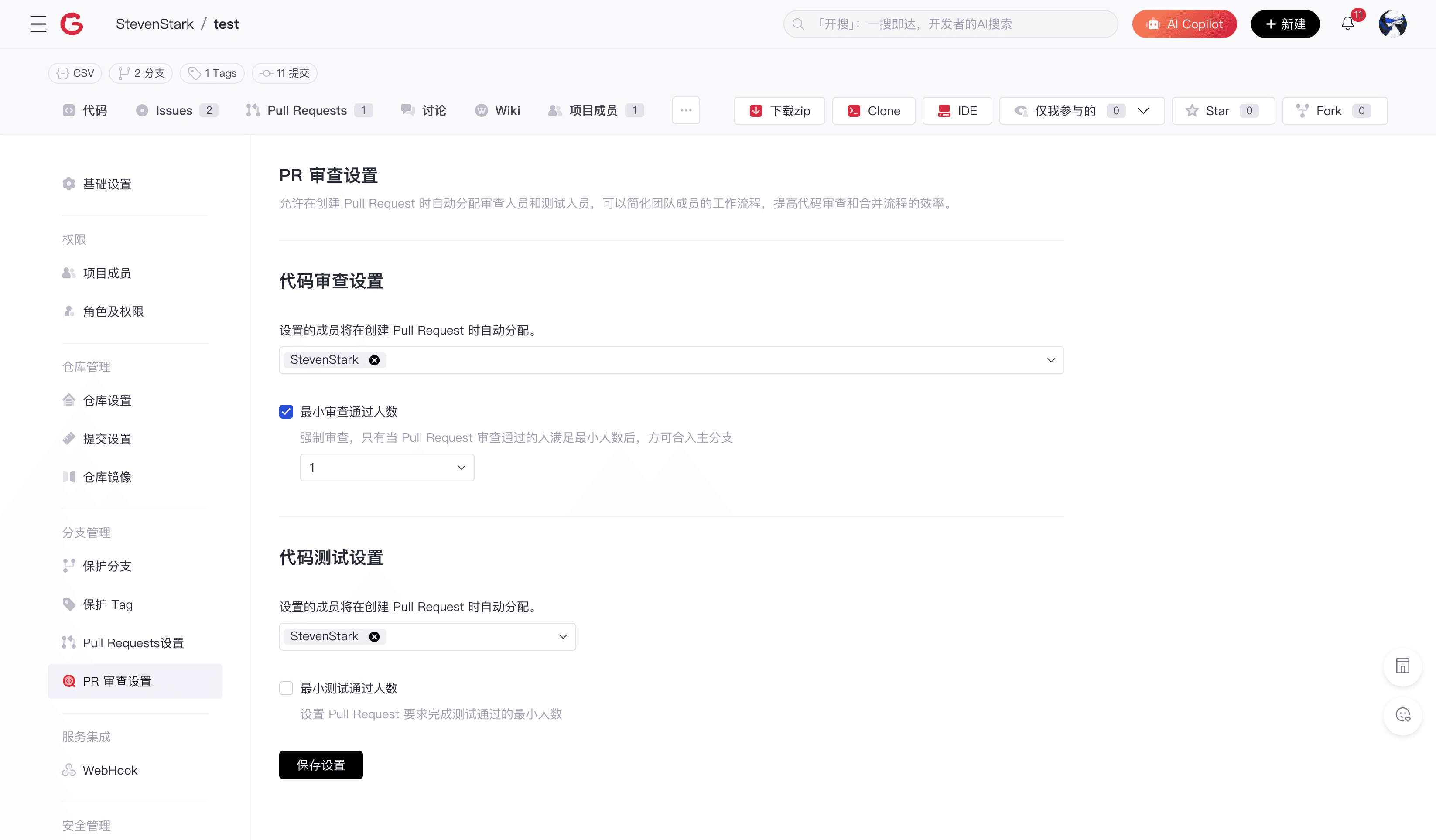
Support for tags, reviewer assignments, status management, and more, making the code review process more efficient and smooth.
- Support for tag marking: Use tags to mark the type and priority of Pull Requests, facilitating classification and management.
- Support for inline code comments: Reviewers can provide comments and suggestions on the code, promoting its improvement.
Major Feature Upgrades
Major Feature One: Organization-Level Custom Permissions
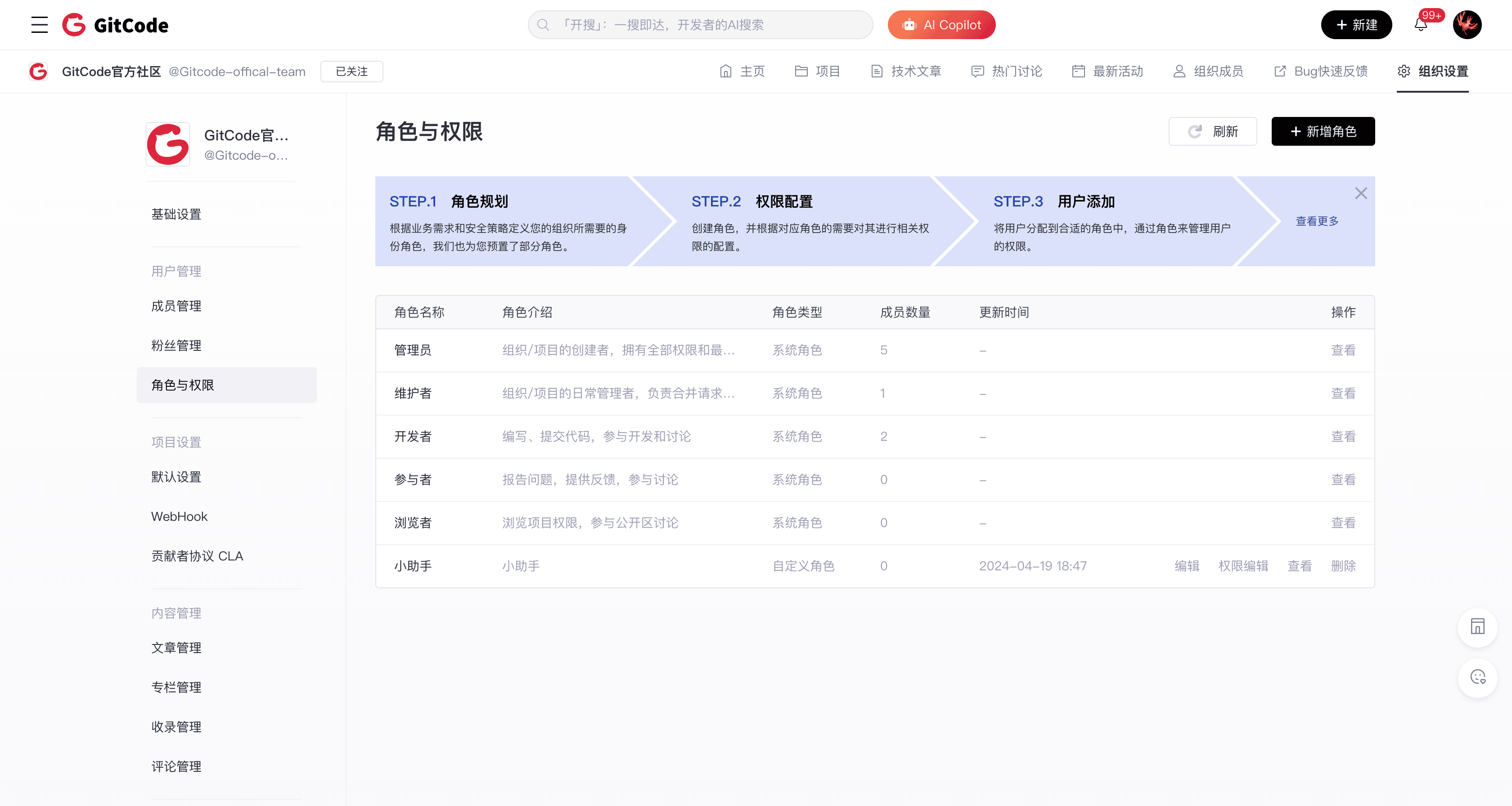
Fine-grained control over each member's access and operation permissions, making organizational management more flexible and secure.
- Support for custom roles: Supports up to 50 custom roles, meeting the permission needs of different users within the organization.
- Support for fine-grained permission control: Can be refined to control access and operation permissions at different levels such as repositories, branches, and files.
Major Feature Two: Organization Kanban
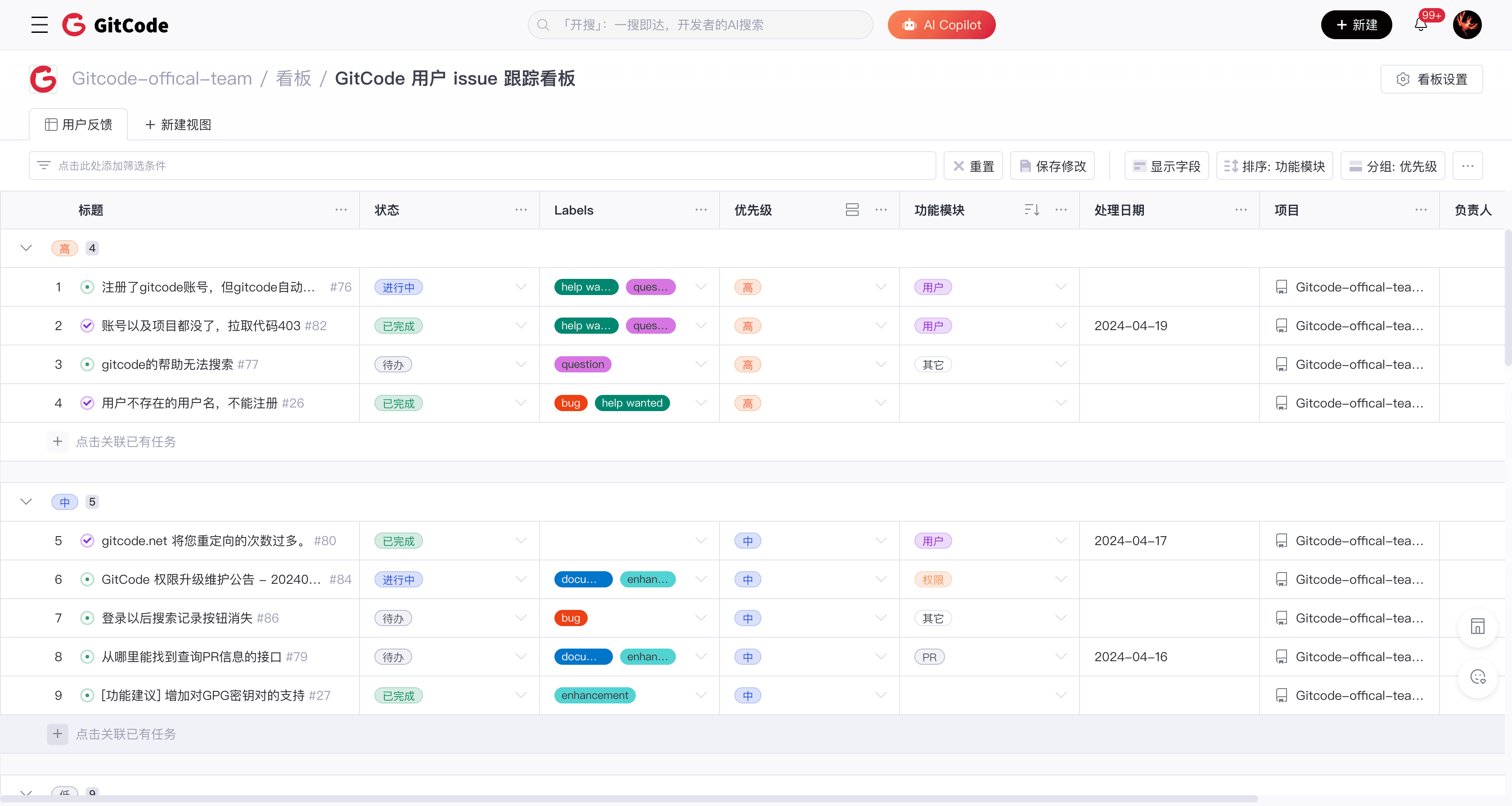
An intuitive kanban interface helps teams efficiently track project progress and optimize workflows.
- Support for customizable fields: Customize the kanban fields and status according to project needs, flexibly managing project tasks.
- Support for grouped views: Group by any field to intuitively present the distribution of tasks under different statuses, helping you quickly understand the overall project situation.
Major Feature Three: OpenAPI
Supports the OpenAPI standard, making your API easier to be used by other developers and services, expanding the project's influence.
- Standardized OpenAPI: Follows the OpenAPI standard, allowing your API to be easily identified and parsed by various development tools and platforms, greatly reducing the entry barrier.
- Rich documentation: AtomGit provides comprehensive API documentation covering all API interface definitions and usage methods, helping developers get started quickly.
User Experience Optimization
Experience Optimization One: Redesigned AtomGit Homepage
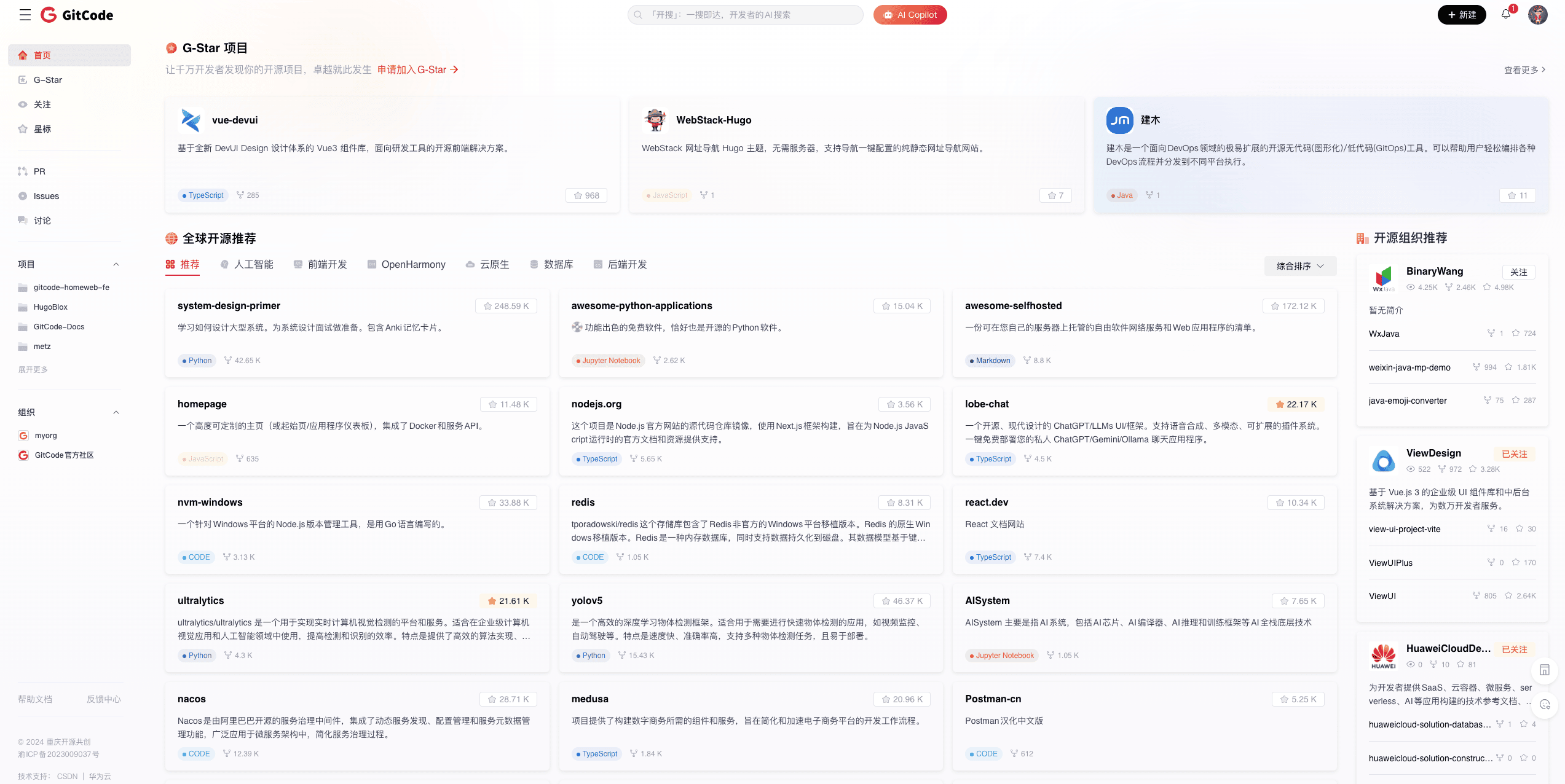
This homepage update highlights project information, making it easier for developers to discover high-quality projects on the platform:
- G-Star Projects: A selection of high-quality open-source projects on the AtomGit platform, covering important areas such as front-end components, cloud-native, and large models.
- Global Open Source Recommendations: Includes AtomGit global selected projects Trending and six major domain open source project channels.
- Open Source Organization Recommendations: Recommend high-quality open source organizations on AtomGit, helping developers discover high-quality projects through organizations.
Experience Optimization Two: Redesigned AtomGit Project Homepage
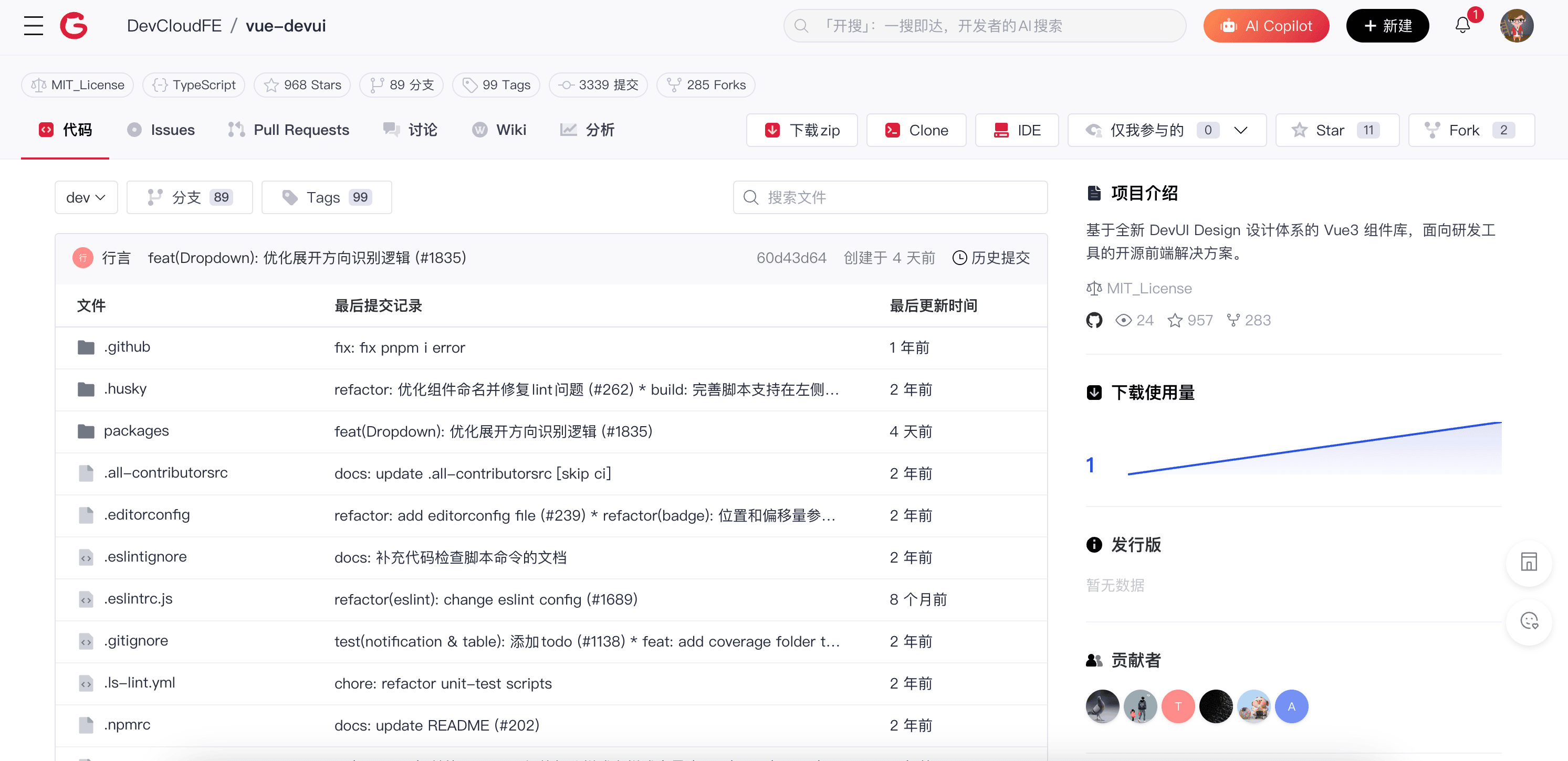
This project homepage update involves integrating project descriptions and code modules, adding project code directories to make the page layout more intuitive and efficient. Key features include:
- Tags under the project name, making it easier for developers to quickly view open source licenses, branches, Tags, and commit records.
- Added WebIDE access point, allowing developers to directly read and modify code through the IDE.
- Display of project download volume, in addition to traditional star and fork counts, it can intuitively count the usage of the project.
Experience Optimization Three: Redesigned AtomGit Message Notification Page
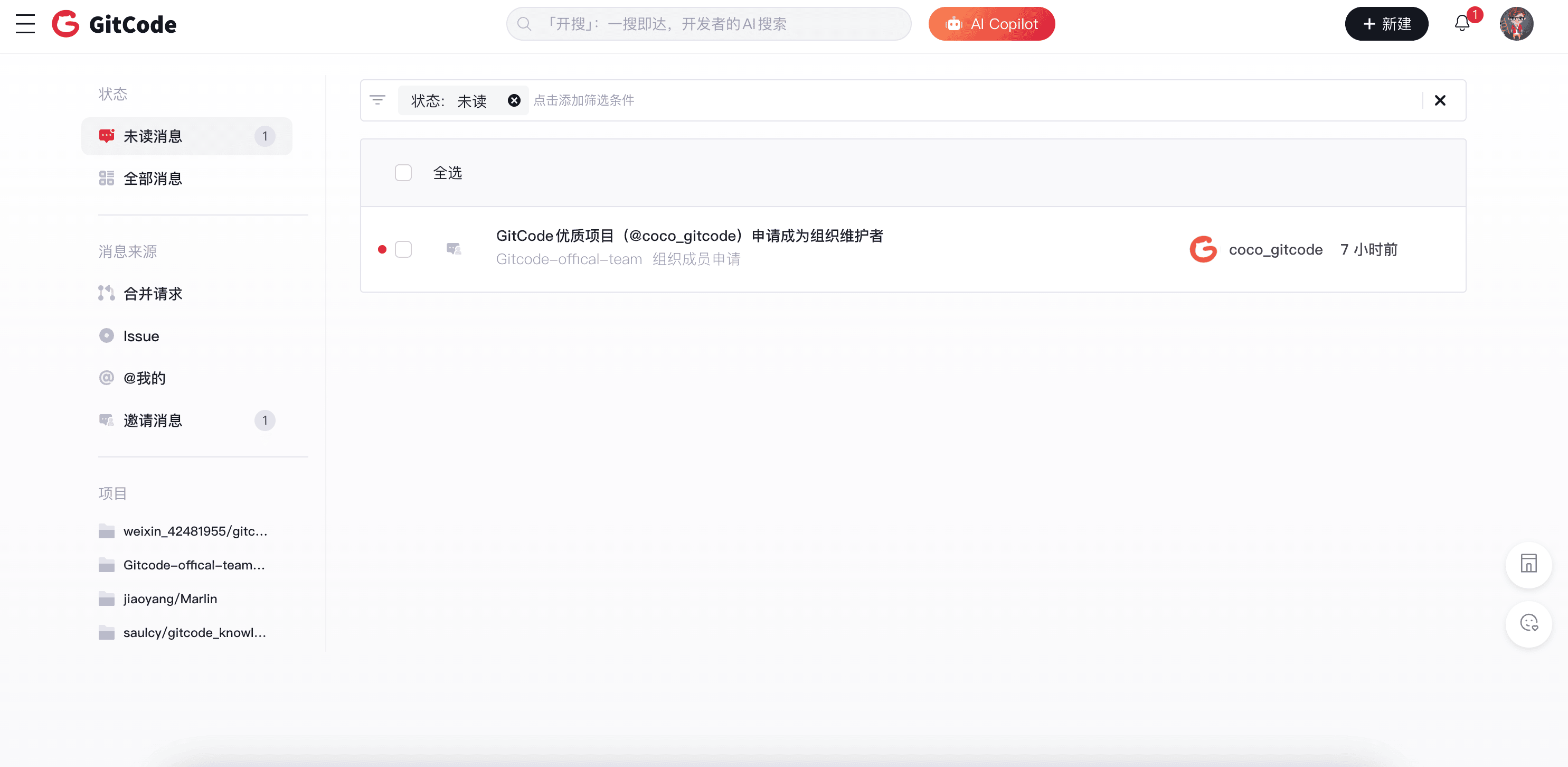
This message notification page update aims to complete scenario functions and optimize the page structure format.
- Added a list of aggregated messages and unread lists, helping users quickly check and handle different types of messages.
- Added an unread marking feature, helping users trace back messages and change message status.
- Adjusted the overall information structure, highlighting key messages, helping developers better use the message box.
Experience Optimization Four: Component Optimization

This optimization focuses on the entire site's sidebar and search components from the perspective of information retrieval, making it more convenient for developers to find their own open source projects and organizations.
- Entire site sidebar: Displays the developer's workspace from multiple dimensions such as following, starring, projects, and organizations.
- Entire site search component: Quickly displays search history and recently visited projects, quickly retrieving user records.