v1.1 Release Notes
Core Function Enhancements
Feature One: Search Function Upgrade
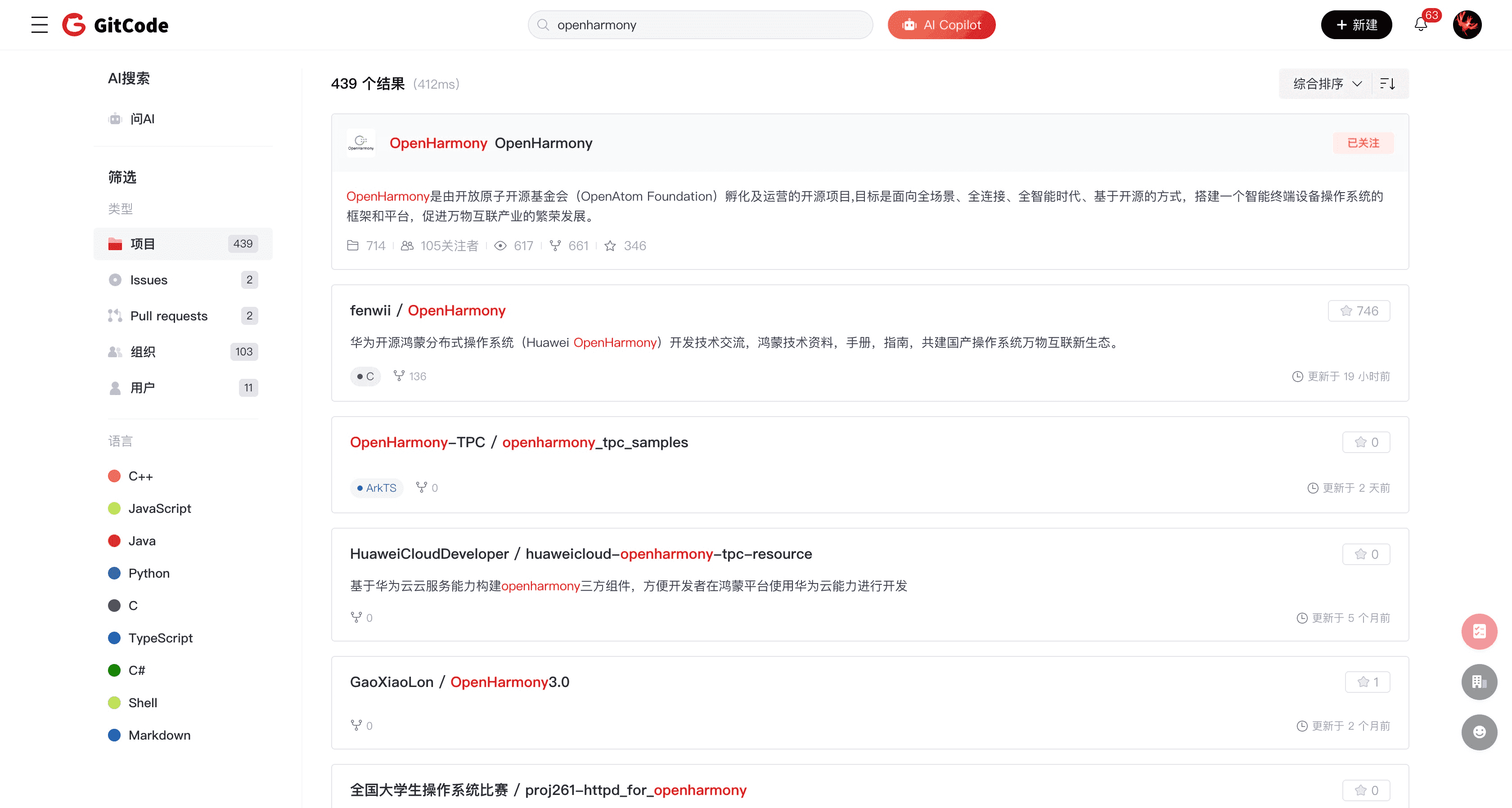
AtomGit's search function helps users quickly find the information they need on the platform, improving work efficiency and development experience.
- Wide range of search categories: Supports searching in projects, Issues, Pull Requests, users, organizations, and other content to meet different user needs.
- Clearer search results: Provides highlighting and intelligent sorting features, making search results more clear and readable, helping users quickly locate the required information.
- Supports internal organization/project search: Users can search within specific organizations or projects, facilitating team collaboration and project management.
- Supports search history browsing: Automatically saves users' search history, allowing them to view and manage previous search records at any time, improving work efficiency.
Feature Two: Permission Matrix Adjustment
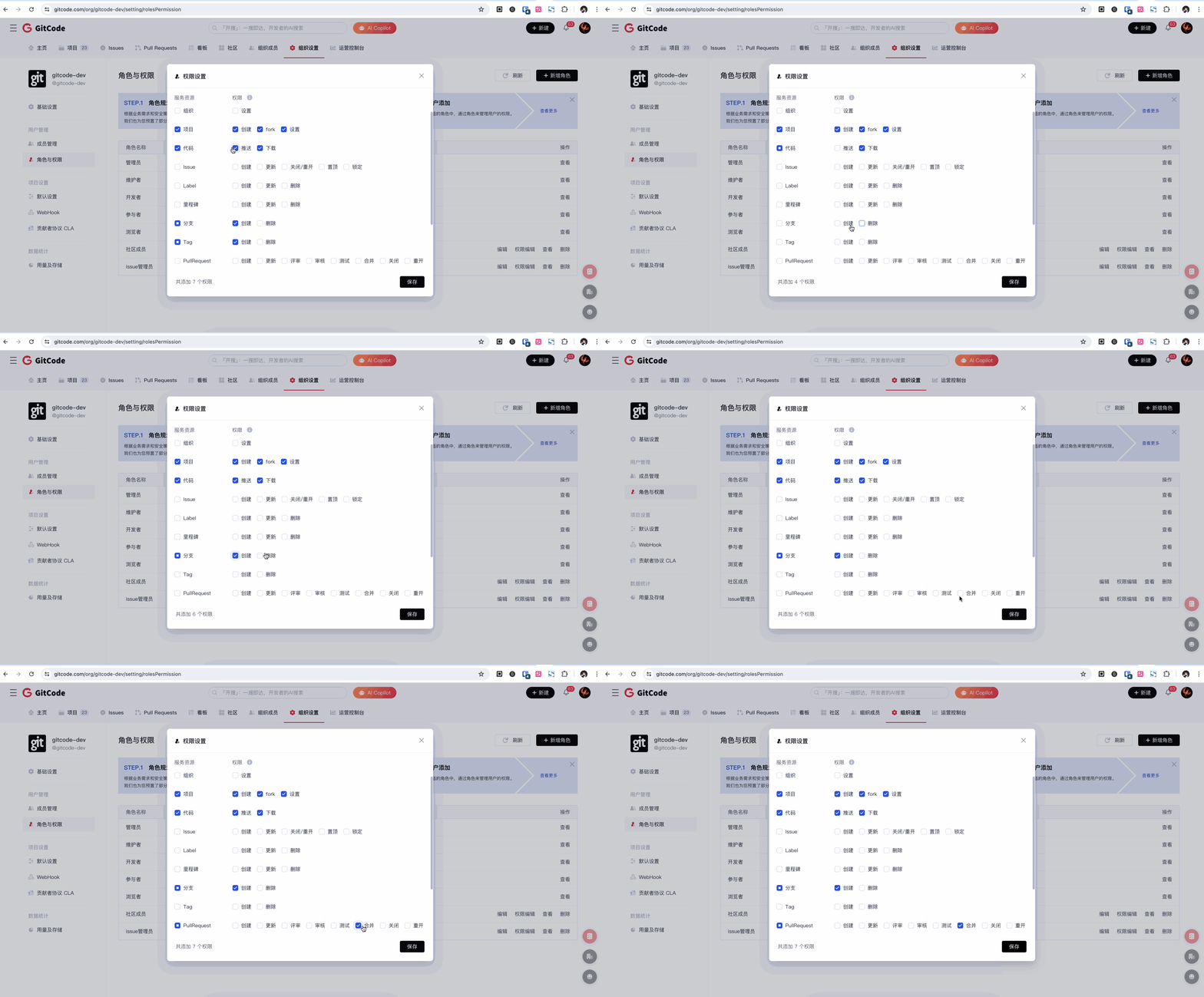
The permission matrix adjustment feature in AtomGit helps users manage team members' permissions more flexibly, ensuring project security and collaboration efficiency.
- Added permission associations: Supports mutual dependencies between permissions for different resource points, automatically checking dependent permission points to avoid configuration errors.
- Supports filtering members by role: Users can filter team members by role, quickly viewing and managing permission assignments for specific roles, enhancing the convenience of permission management.
Feature Three: Markdown Support for Rendering Emoji Expressions
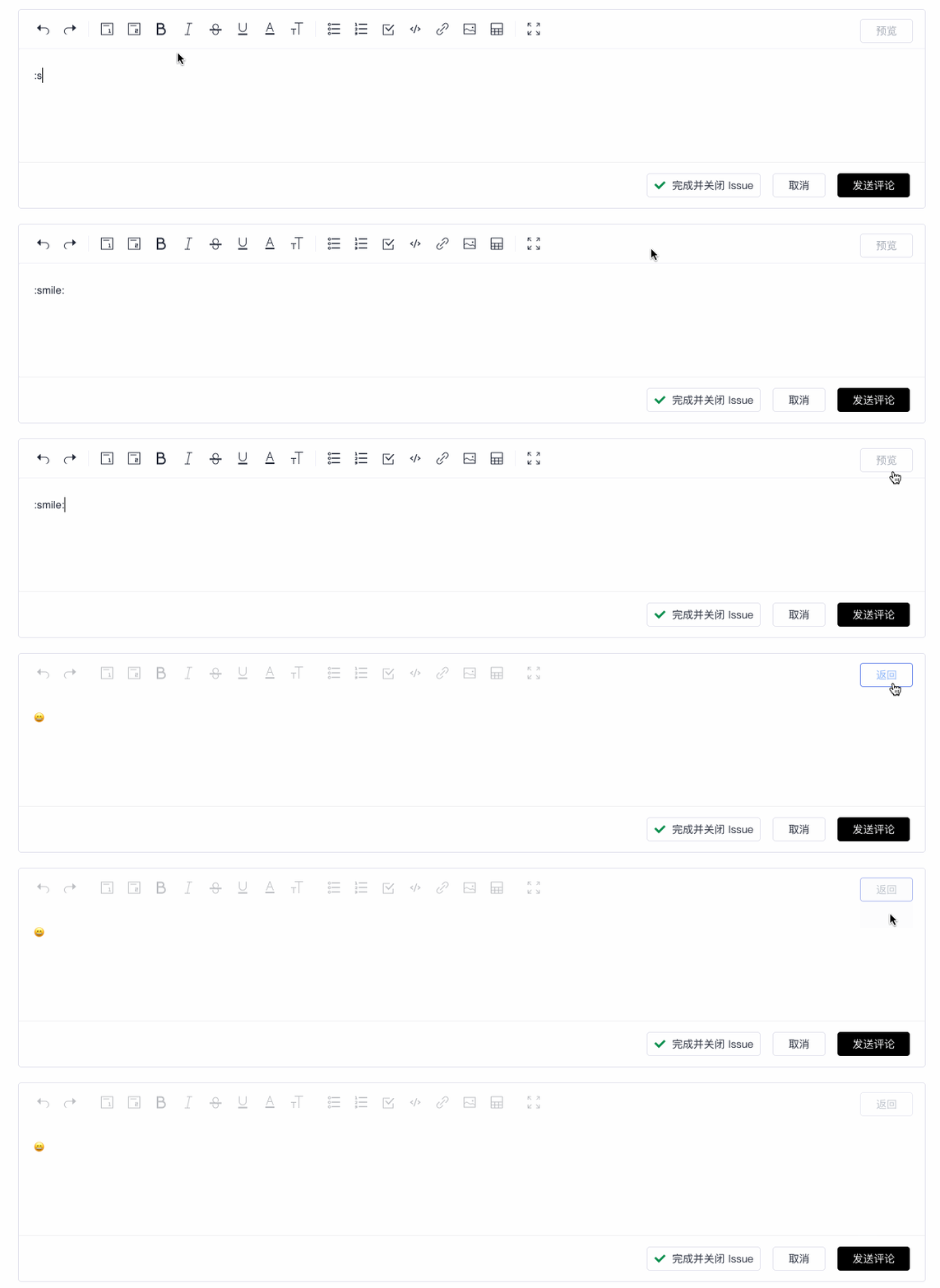
AtomGit's Markdown editor now supports rendering emoji expressions, helping users express emotions and emphasize key points more vividly in documents and comments.
- A variety of emoji expressions: Offers a rich selection of emoji expressions to meet users' expression needs in different situations.
- Easy to use: Users just need to input the corresponding emoji symbols in Markdown documents to easily render the expressions, enhancing the readability and interest of the content.
- Improve communication effectiveness: Using emoji expressions in issue and PR communications can effectively convey emotions, enhance communication and understanding among community users, and improve the user experience of the community.
Feature Four: PR Supports Milestone Association
Pull Request (PR) now supports milestone association, helping users better manage project progress and version release plans.
- Clear progress tracking: By associating PRs with milestones, users can more clearly track project progress and the implementation status of various features, increasing the transparency of project management.
- Optimize version release: After associating with milestones, users can more conveniently plan and manage the version release process, ensuring that each version's features and fixes are completed as planned, improving release efficiency and quality.
Other Feature Upgrades
Feature Upgrade One: CodeTree Supports Empty Directory Folding
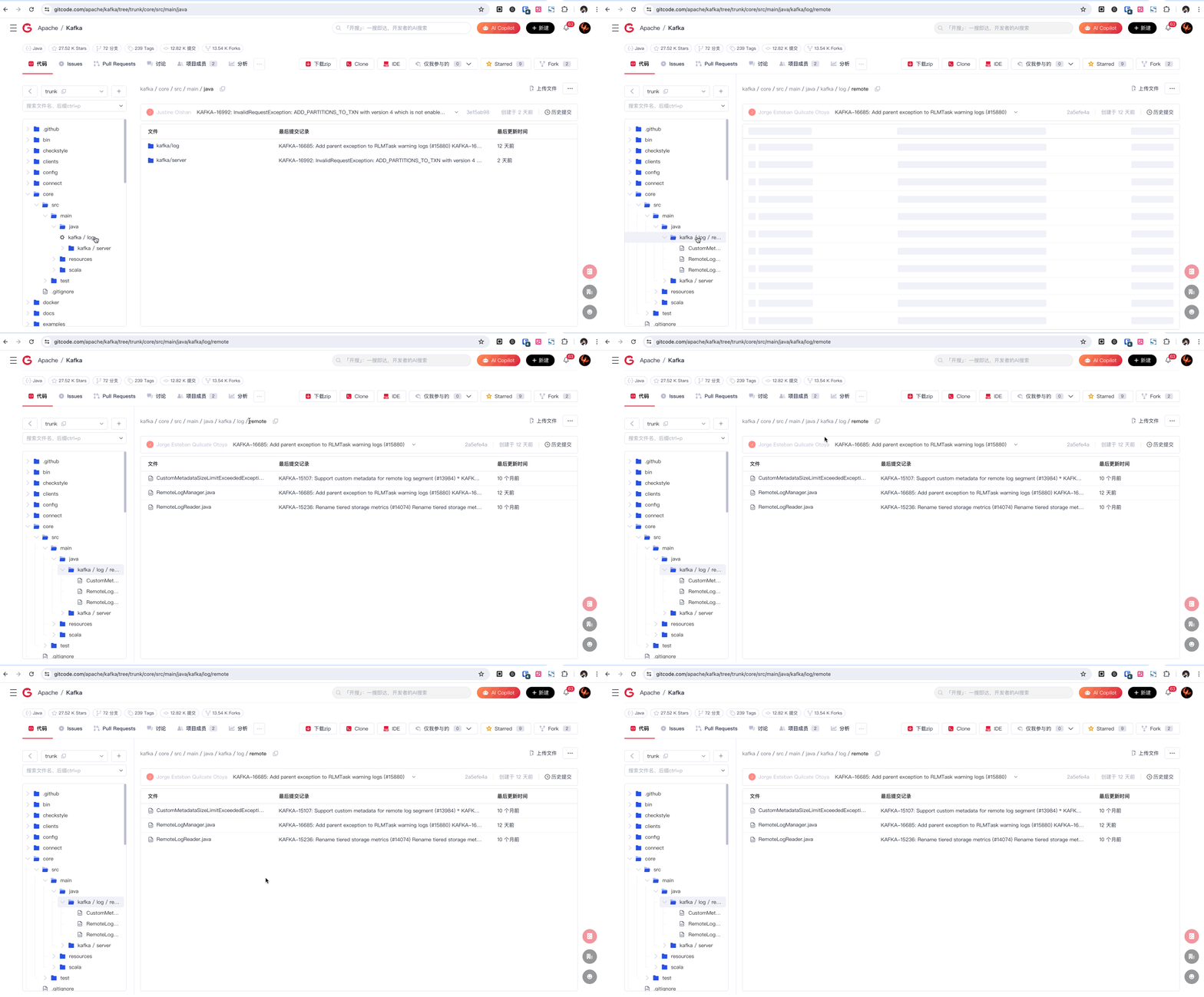
When browsing project code online in AtomGit, empty directories are automatically detected and folded, making the file structure more concise and clear, reducing unnecessary directory level displays, and helping users browse code more efficiently.
- Improve browsing efficiency: Users can quickly locate files and directories with content, improving the efficiency of code browsing and searching, and reducing distractions.
- Clear directory structure: After folding empty directories, the code directory structure becomes more compact and clear, making it easier for users to understand and manage project files.
Feature Upgrade Two: Kanban Function Enhancement
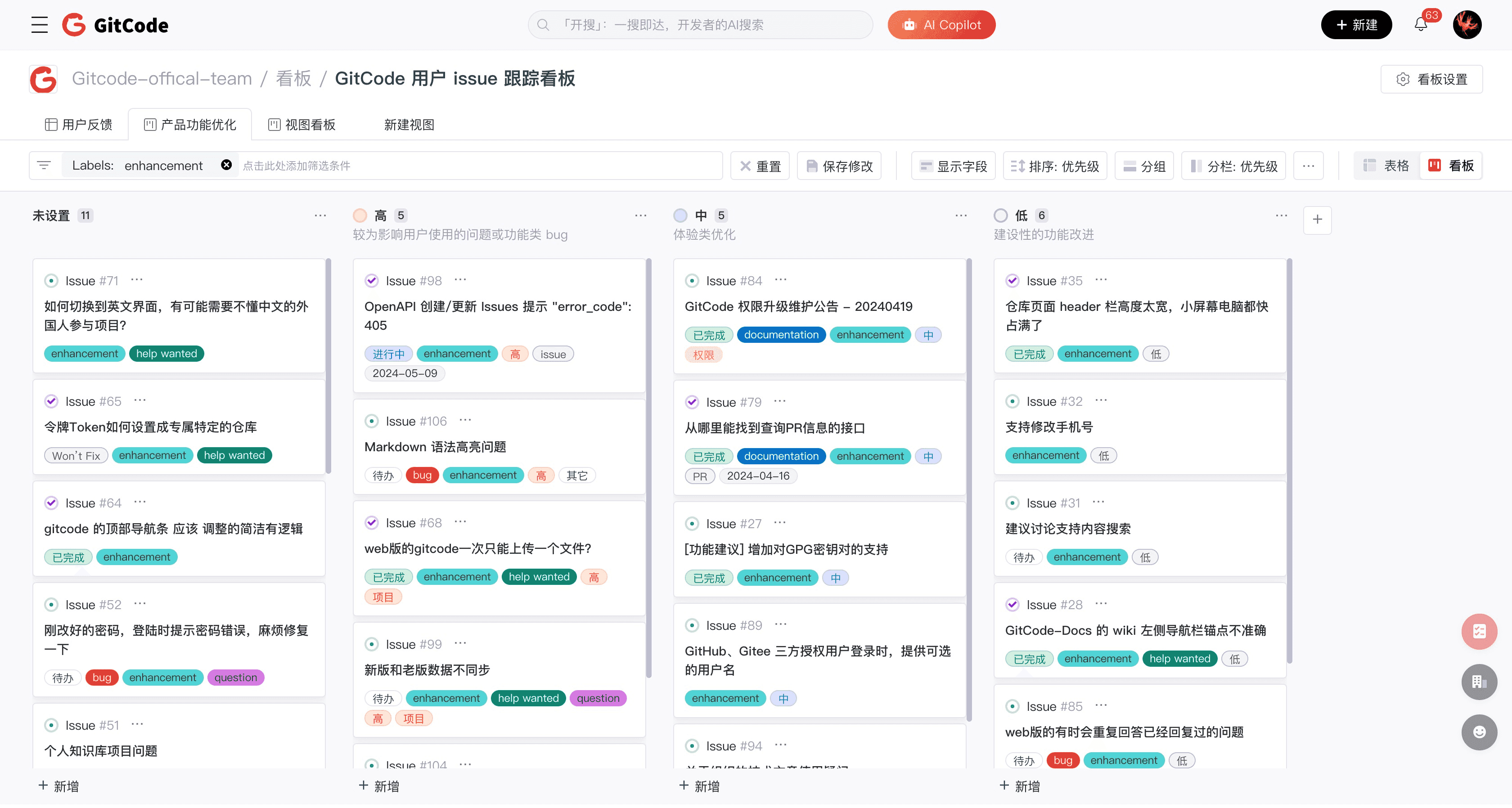
The kanban function enhancement in AtomGit adds a kanban view based on the original table view, providing users with more flexible and efficient project management tools to improve team collaboration efficiency.
- Supports kanban mode: Provides a flexible kanban mode, allowing users to organize and display tasks based on task status, priority, or custom categories, making project management more intuitive.
- Kanban view supports custom sorting: Users can customize the sorting method of tasks in the kanban view, arranging the task order according to needs, ensuring important tasks are prioritized.
- Issue details page supports viewing kanban information: In the issue details page, users can directly view the kanban information related to the task, facilitating understanding of the current status and progress of the task, improving the transparency and efficiency of project management.
Feature Upgrade Three: OpenAPI Supports Retrieving Repository Language Information
The OpenAPI now supports retrieving repository language information, enabling developers to easily access and analyze the programming languages used in projects, further optimizing resource allocation and team collaboration. Our API continues to evolve, committed to providing developers with more comprehensive and convenient tools to help your projects reach new heights.
Feature Upgrade Four: WebIDE Supports Vue and HarmonyOS eTS Syntax Highlighting

New syntax highlighting support for the Vue framework and HarmonyOS eTS is now available, offering developers a more intuitive and efficient coding experience. Whether you're building cutting-edge web applications or developing HarmonyOS-related projects, your code will now be clearer and more readable, making errors easier to detect, thus greatly improving development speed and accuracy.
User Experience Optimization
Experience Optimization One: Personal Dashboard Redesign
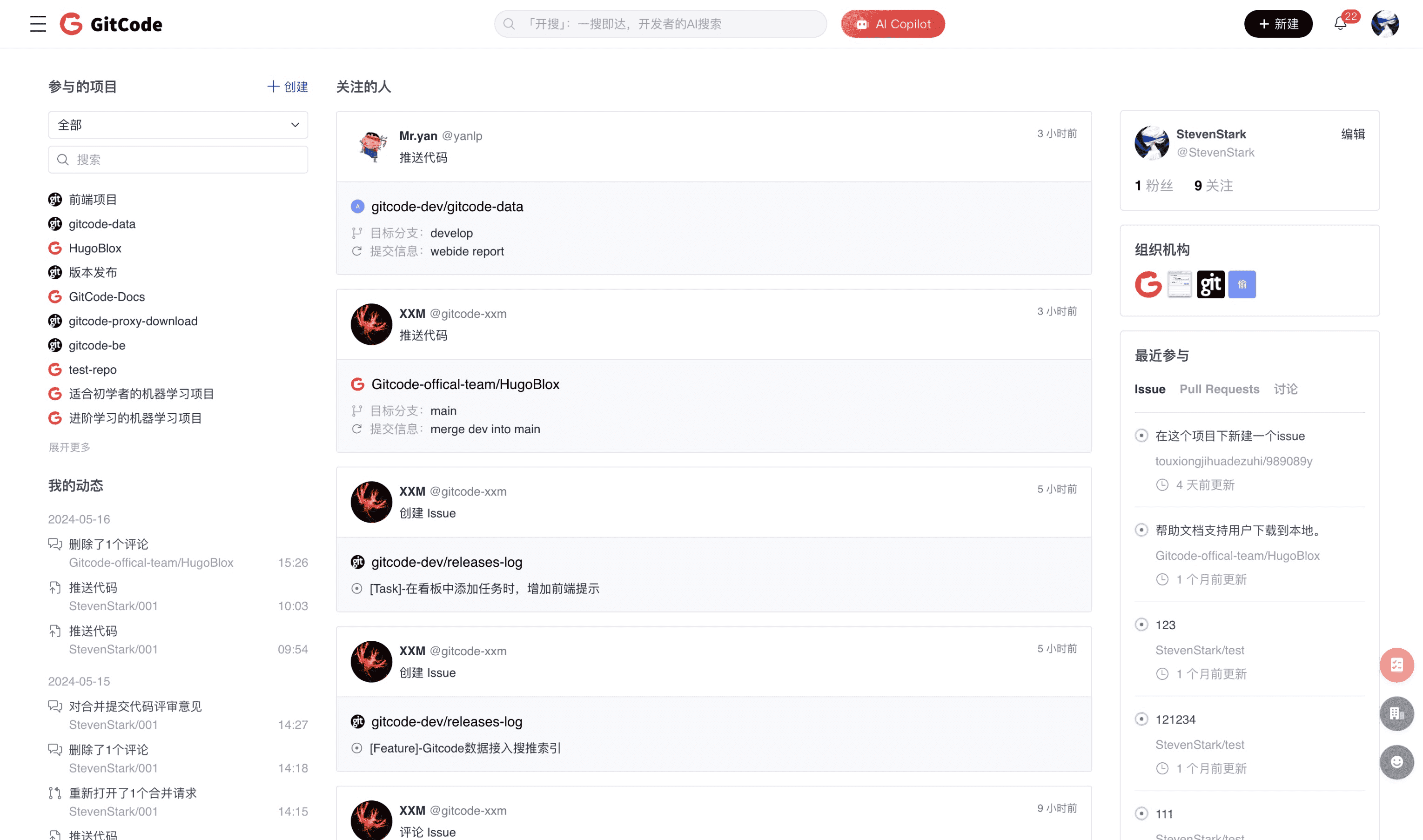
Six major sections have been carefully redesigned: Projects, Activities, Followings, Organizations, My Info, and Recently Participated, now displayed in a more intuitive way, making information retrieval easier than ever before, ensuring you have full control over your work progress.
Experience Optimization Two: Personal Profile Upgrade

We provide a customizable personal README that allows you to elegantly showcase your achievements. The README module not only simplifies the process of finding like-minded developers but also makes others clearly understand your work through selected projects and vivid contribution charts. Now let the world see your true self and build closer connections with the global developer community!
Experience Optimization Three: Organization Page Refresh
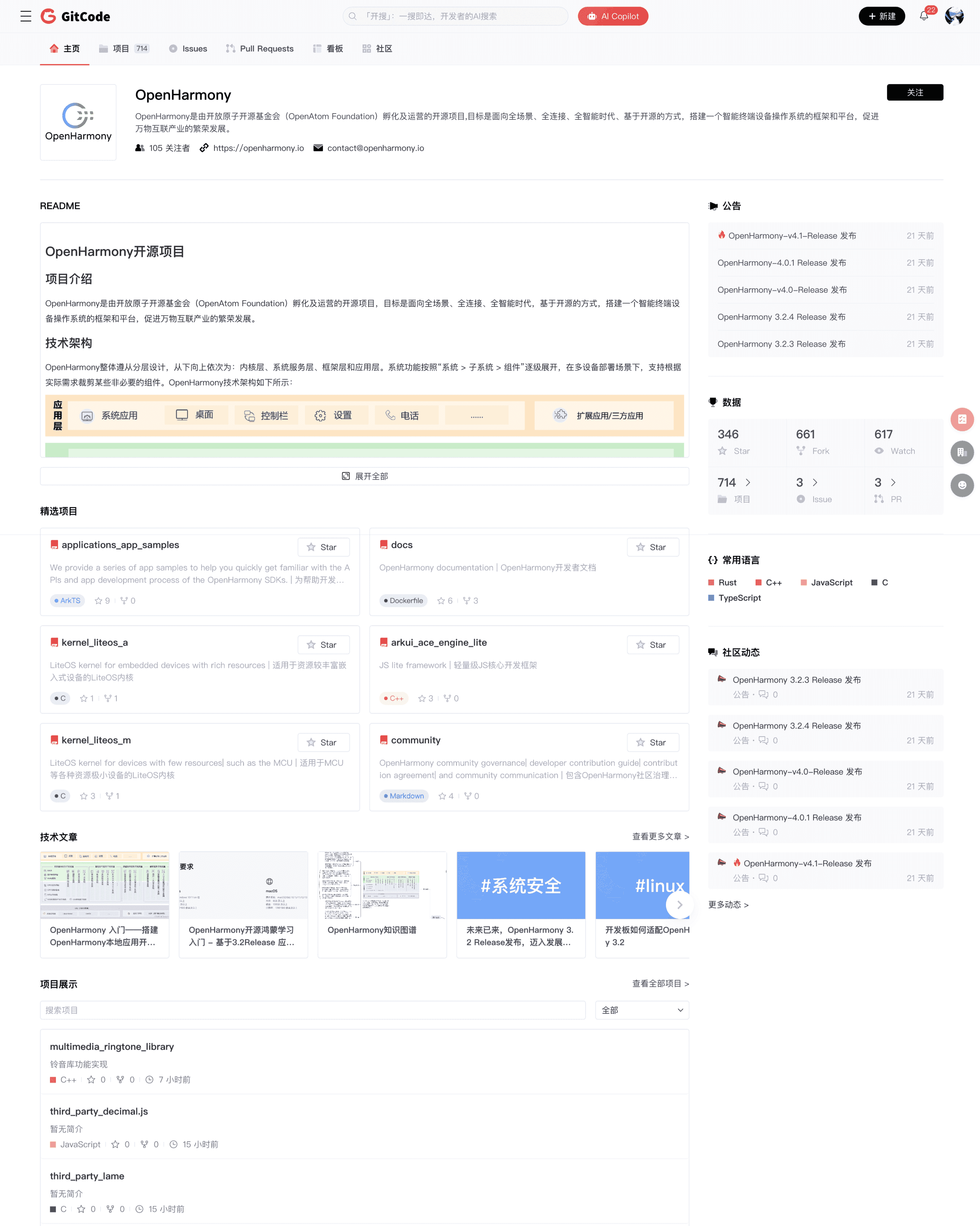
A dedicated organization page designed to showcase your team's unique style, not only attracting like-minded talent to understand your team but also encouraging their participation. We highlight the popular project area, making your team's technical achievements immediately visible and showcasing your professional strength. The new announcement section ensures that the latest team updates are quickly communicated to the entire community.
Experience Optimization Four: Mobile Experience Fully Upgraded
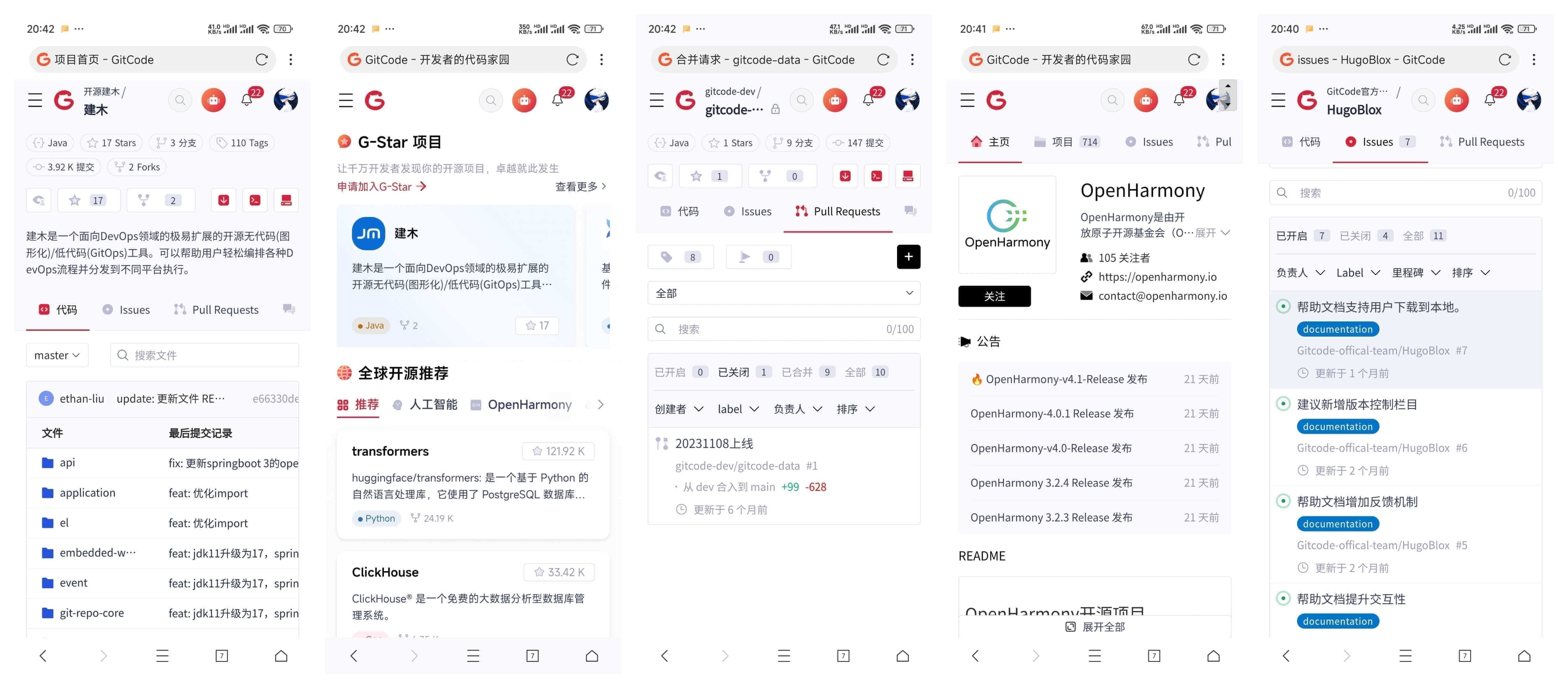
To provide you with a smoother mobile experience, we have carefully adjusted and optimized over 50 pages. These pages now respond faster, have clearer interfaces, and seamlessly adapt to various screen sizes, ensuring you enjoy a smooth and consistent experience when browsing on your phone or tablet. Our efforts continue, and more pages are being adapted in full swing.
Bug Fixes
Thank you to the active community users @Cody_G, @Ling Kang, and @Hengge Ha for their feedback. We have fixed the following bugs in the product:
- Bug fix: Not supporting the history of repository directory searches
- Bug fix: Incorrect display of the last commit record of a file
AtomGit 517 New Features Upgrade! Super Search Engine and Full-Function Collaboration!