Code Owners
Using the Code Owners feature on GitCode can help the project team ensure that key parts of the code are reviewed by the right and suitable people. The Code Owners feature allows you to specify "owners" for specific files or folders in your repository. These owners will be automatically requested to review the code when related files or folders are modified and a Pull Request is created. This article will guide you on how to set up and use the Code Owners feature in GitCode to improve the efficiency and quality of code reviews.
CODEOWNERS File
To enable the Code Owners feature, you first need to create a file named "CODEOWNERS" in your project repository. You can place this file in one of the following locations:
- Root directory of the repository
.gitcode/directorydocs/directory
Choose a location to create the file. GitCode checks these locations in the following order:
CODEOWNERSin the root directory of the repository..gitcode/CODEOWNERSdocs/CODEOWNERS
Creating the CODEOWNERS File
-
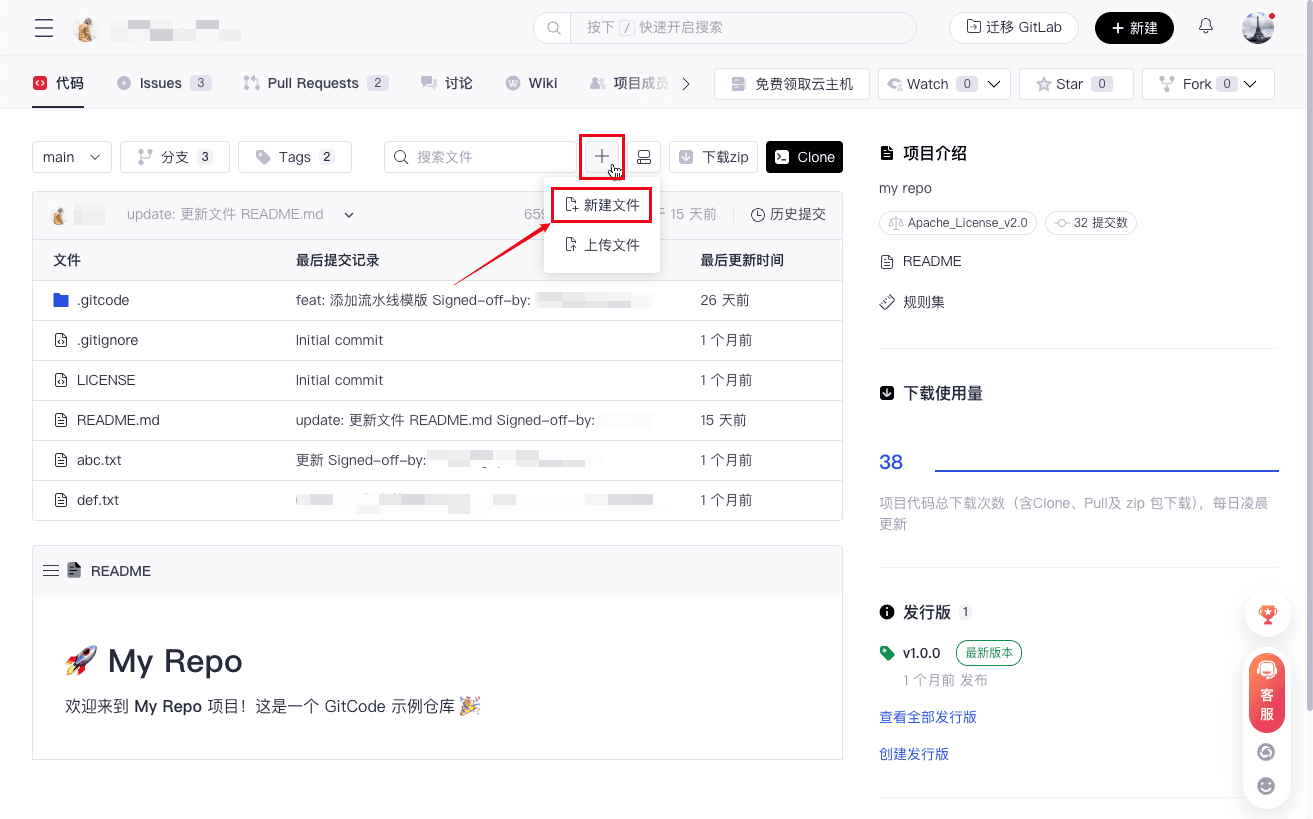
Open the corresponding repository, click the "+" button, and select "New File."
-
Select the save location, name the new file
CODEOWNERS, and click "Commit changes" to create the file.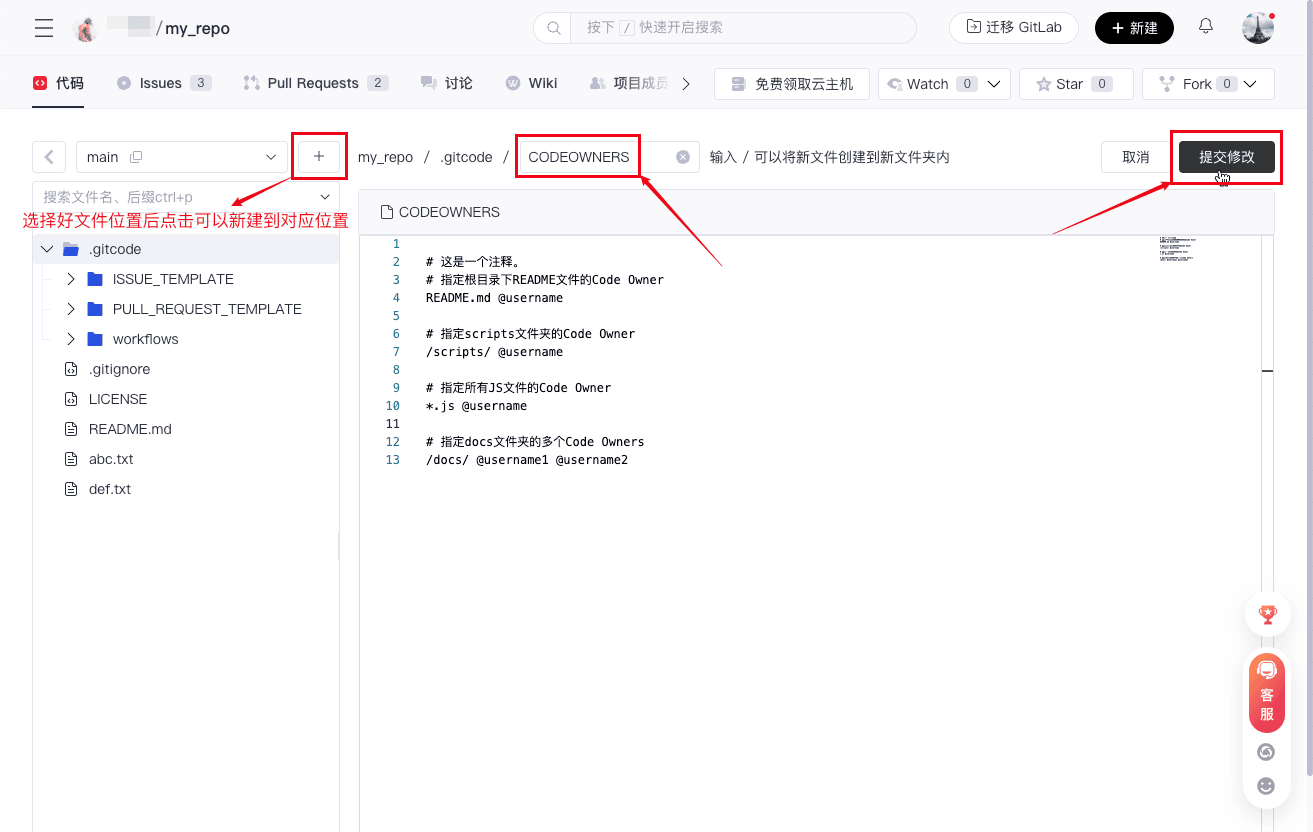
-
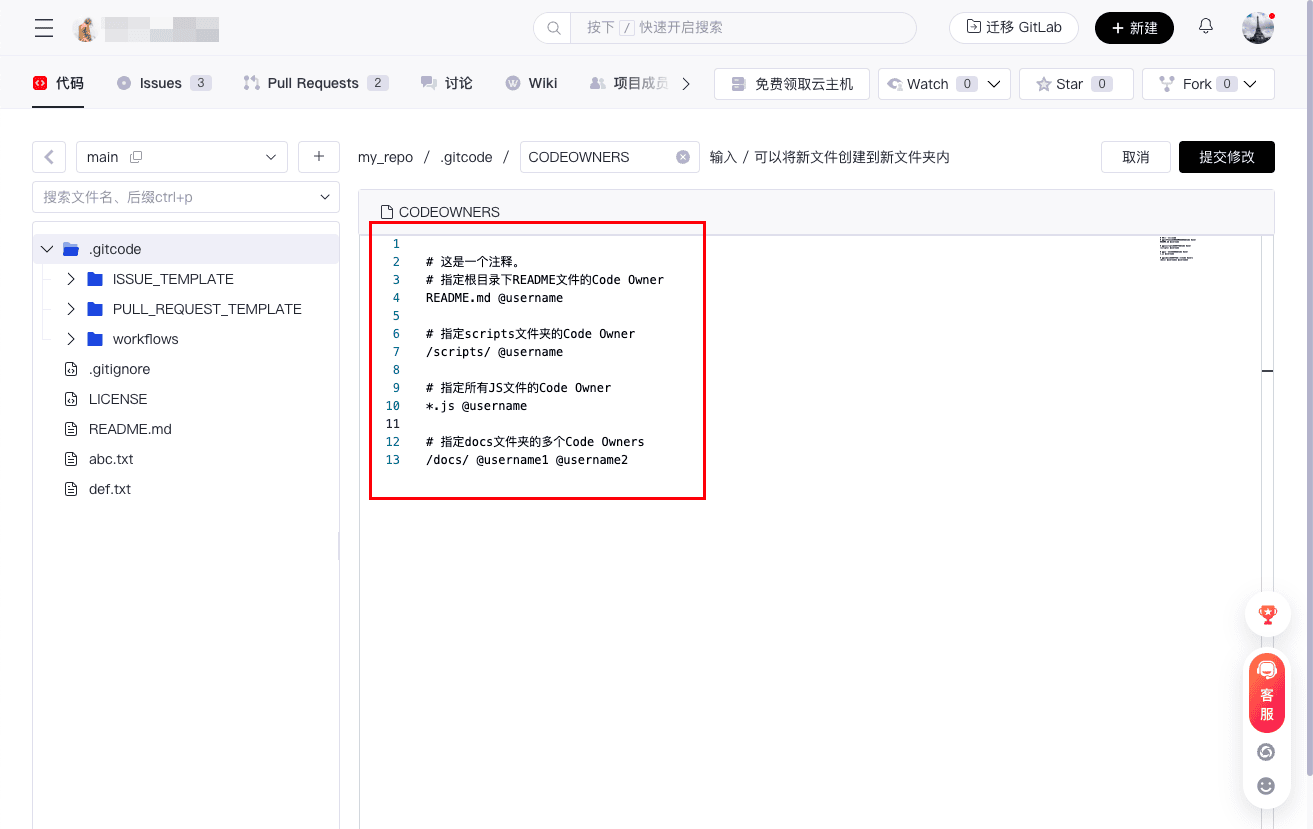
Define the Code Owners rules in the file editor (see the rule definition section below).
Code Owners Rule Examples
In the CODEOWNERS file, you can specify individual users as Code Owners for specific files or paths. Each rule is on a separate line, and comments can be added using #. Here are some example rules:
# This is a comment.
# Specify the Code Owner for the README file in the root directory
README.md @username

# Specify the Code Owner for the scripts folder
/scripts/ @username

# Specify the Code Owner for all JS files
*.js @username

# Specify multiple Code Owners for the docs folder
/docs/ @username1 @username2
Escaping Syntax in the CODEOWNERS File
Warning: Some syntax rules from .gitignore files do not work in CODEOWNERS files:
- Use
\to escape patterns starting with#so they are treated as patterns rather than comments. - Use
[ ]to define character ranges; if you want to make a part optional so that approval of code reviews within that part is optional, place a caret^before the[ ].
Here are some example rules:
^[Scripts]
/scripts/ @username1 @username2

[Js]
*.js @username1 @username2
The CODEOWNERS file uses patterns that follow most of the same rules used in .gitignore files. Patterns followed by one or more GitCode usernames in the standard @username format.
If you want to match two or more code owners with the same pattern, all code owners must be on the same line. If code owners are not on the same line, only the last mentioned code owner will be matched. For example, if your CODEOWNERS file contains the following rules:
# Specify the Code Owners for all JS files
*.js @frontendTeam

# Specify the Code Owners for all files in a specific path
/src/scripts/ @javascriptExpert

# Specific file in the project root directory
/important.js @projectLead
If a Pull Request modifies the /src/scripts/important.js file, only the last rule will be matched, and the review will be assigned to @projectLead.
Explanation of the CODEOWNERS File
- It is strongly recommended to manage changes to the
CODEOWNERSfile through Pull Requests for code review. - When code changes occur in the project and involve files that Code Owners are responsible for, GitCode will automatically request Code Owners to review the Pull Request based on the rules in the
CODEOWNERSfile. - If there are multiple Code Owners, they will all be added to the review request list.
- The size of the
CODEOWNERSfile must be less than 3MB. If the file size exceeds this limit, GitCode will not load thisCODEOWNERSfile. - The
CODEOWNERSfile is only effective when the number of files involved in the PR is less than 1000.
CODEOWNERS Assignment Rules
- If the assigned user does not exist on GitCode or is not a project member, the user will not be assigned, and no notification will be given.
- Only the last rule in the CODEOWNER assignment rules for the same file will take effect.
- The users assigned by CODEOWNER cannot be removed on the page.